Common HP Laptop Problems & Fixes UK 2026 — Won’t Turn On, Overheating & More
Direct answer: The most common HP laptop faults seen at the celltech bench are: failing to turn on (power circuit, battery or charging port), overheating from a dust-clogged heatsink or dried thermal paste, a black screen from a damaged display cable or backlight, cracked hinges (a recurring wear point on consumer models including the Pavilion), and charging-port failure. Many of these can be diagnosed safely at home before you decide whether to post your device. Where a repair is needed, diagnostics are free on standard work.
HP makes more laptops in the UK than any other brand, which means we see the full spectrum of what goes wrong with them — and the same faults recur across the Pavilion, ENVY, Spectre and EliteBook lines. This page walks through each common problem, the safe home steps worth trying first, and the honest point at which a bench repair is the right call. For per-model pricing on any specific repair, start at our HP laptop repair cost hub.
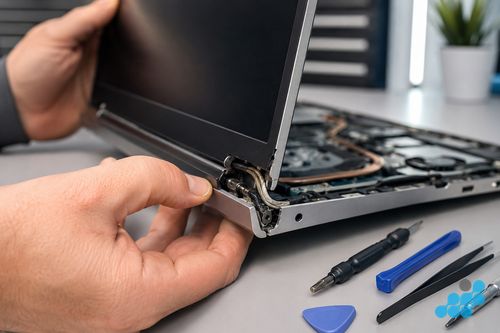
HP laptop won’t turn on
Possible causes
A no-power HP usually traces to one of three places. Most often it is the battery — flat, or on an older Pavilion swollen to the point where it can no longer feed the board. Next is the charging side: a tired DC jack or USB-C port that has stopped delivering power. Least common, and the one we condemn last, is a board-level power-circuit fault. Occasionally it is none of these — simply a power-management state that has hung, which is exactly why the reset below is worth trying before anything else.
Safe steps to try at home
- Hard reset — with the charger unplugged, press and hold the power button for a full 15 seconds so the board sheds its stored charge, then plug back in and try to boot.
- Try a different charger — rule out a dead cable or brick before assuming the laptop is at fault.
- Remove the battery if external — on older removable-pack Pavilions, take the pack out, hold power for 15 seconds, then boot on the charger alone.
- HP's own diagnostics — tap Esc as you switch on to reach HP's UEFI menu and run the built-in Component Tests; back in Windows, HP Support Assistant logs battery health and recent hardware errors. Most generic guides mention neither, yet together they separate a board fault from a peripheral one.
When to send for repair
If a known-good charger and a hard reset produce nothing — no fan, no light, no response — the fault is likely the battery, the charging port or the board, all of which need bench diagnosis. See our charging port & DC jack guide if power is the suspect, or our battery replacement guide.
HP laptop overheating and fan running constantly
An HP that runs hot — fans winding to full the second a browser opens, the chassis warm under the palm rest, a hard shutdown mid-task — is nearly always choking on its own cooling rather than failing at the chip. Slim convertibles such as the Spectre x360 reach that point first, simply because the airflow path through the chassis is narrow to begin with. Two things are usually behind it: heatsink fins felted solid with dust, and thermal compound that has gone hard with age and no longer carries heat off the processor.
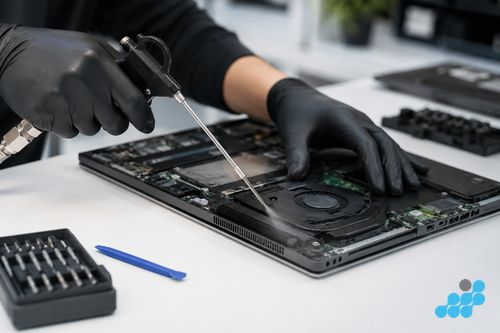
Safe home step: a couple of short puffs of compressed air into the exhaust grille — never one long blast, which can over-spin the fan — will shift loose dust. Once the fins are matted or the compound has set, though, the honest fix is a strip-down, a heatsink clean and fresh paste. It is a routine afternoon on the bench, and it pulls the running temperature back down before months of baking shorten the battery and tire the board. Where an HP is overheating and the battery is already fading, the two usually go hand in hand.
HP laptop black screen (but power light on)
A black screen with the power light on is one of the most misdiagnosed faults because the symptom — nothing on the display — can come from three different places: the panel itself, the display cable chafed in the hinge, or (rarely) a board-level GPU output fault. Try the hard reset above first, and try an external monitor if you have one — if the external display works but the laptop screen does not, the panel or cable is the culprit, not the board. We reseat the display cable before ever condemning a panel. See our HP screen replacement guide for pricing.
HP laptop hinge cracked or broken
A cracked hinge is one of the more predictable consumer-laptop faults, and the Pavilion turns up with it more than any other HP line. It usually starts as a hinge block easing away from the chassis; once that mounting is loose, every lift of the lid drags on the display cable threaded through the barrel, and a hinge problem quietly becomes a screen problem — first a flicker, then dropout. Is it safe to keep using? Briefly, and gently, but the harm compounds with each open and close, so catching it early is what keeps it a hinge job rather than a hinge-and-panel job. It is routine bench work; the figures are in our HP repair cost hub.
HP laptop keyboard or touchpad not working
A dead keyboard after a spill, a row that has stopped registering, or a touchpad that has gone unresponsive are all common HP faults. On most consumer models the keyboard is a riveted top-case assembly, so the repair unit is the assembly; on some business models individual keys can be swapped. See our HP keyboard replacement guide for the per-model prices and the top-case vs key distinction.
HP laptop not charging
The "won't charge" symptom can be a worn USB-C port on a modern Spectre or EliteBook, a torn barrel-jack pad on an older Pavilion, or a failed charging IC on the board. Try a different charger first; if the charge light flickers when you wiggle the connector, the port or socket is the culprit. See our charging port & DC jack guide for the full breakdown and board-level options.
HP laptop running slow
Not every slow HP is broken. The most common cause of a sluggish older Pavilion or Envy is a full or ageing mechanical drive — a storage upgrade (swapping a tired hard drive for a solid-state drive) is the single biggest performance transform on an older machine, far more than any repair. If the slowness is paired with overheating and sudden shutdowns, thermal throttling is the more likely cause, so address the cooling first. We can advise on both at diagnosis.
Diagnose before you spend
The thread running through all of these is that the symptom rarely tells you the fault on its own. A no-power machine might be a £69.95 diagnostic away from a battery, a port or a board fault; a black screen might be a cable reseat rather than a new panel. That is why we bench-check every HP before quoting — so you pay for the repair you actually need, never the one the symptom first suggests. Diagnostics are free on standard repairs; the £69.95 fee applies only to board-level investigation and is deducted from the repair if you proceed.
All HP laptop repair costs
For the exact per-model price across screens, batteries, keyboards and charging ports, see our HP laptop repair cost hub.
Software fix or hardware failure: reading an HP symptom correctly
Laptops love to serve up symptoms that look identical but lead to completely different work, and learning to read them before you book saves you paying for the wrong thing. An HP that crawls under load yet stays cool and silent is usually carrying a software or storage problem, not a hardware one. One that runs hot, fans hard and cuts out under load is pointing at the cooling path — set compound, a felted heatsink or a tiring fan — long before it points at the processor itself. A battery that shows full and then empties in ten minutes is a worn cell, and HP Support Assistant will usually confirm it. A machine that only wakes when the charger is nudged to a certain angle is a jack-or-port fault, not a battery one. The discipline is the one we use on phones: take it back to a clean boot and a known-good charger, and whatever is still wrong is the part that has actually failed.
Frequently asked questions
Why does my HP laptop keep overheating and turning off?
Nearly always a dust-matted heatsink or hardened thermal compound, and slim models like the Spectre x360 hit that wall soonest. A short puff of compressed air clears loose dust; once the fins are packed or the compound has set, a heatsink strip-down and repaste is the real fix.
How do I fix an HP laptop that won’t turn on?
Hold the power button 15 seconds with the charger out, try a second charger, and on removable-pack models lift the battery before retrying. Tap Esc at switch-on for HP's UEFI Component Tests, and check battery health in HP Support Assistant once you are back in Windows. Still nothing? The battery, port or board is the likely cause — book a diagnostic.
Why is my HP Pavilion hinge cracking?
Thousands of open-close cycles work the hinge block loose from the chassis, and the surrounding plastic gives way under the repeated strain — a familiar Pavilion pattern. Deal with it early, before the loose hinge frays the display cable behind it and pulls a screen repair in alongside.
Is it safe to use an HP laptop with a cracked hinge?
For a short while, handled gently — but every cycle drives the crack further and tugs at the display cable behind it. It is straightforward bench work, well worth doing before the picture starts to flicker or drop out.
How much does it cost to fix common HP laptop problems?
That depends on the fault — a charging port from £39.95, a battery from £44.95, a screen from £94.95. Every per-model figure is listed in our HP repair cost hub, and diagnostics are free on standard work.
Should I repair my HP laptop or buy a new one?
Repair, in nearly every case. A port, battery or screen costs a small fraction of a new machine and is covered by the guarantee. The one exception is a board-level fault sitting close to what the laptop is worth — we diagnose that and talk it through honestly before you commit.