Common Nothing Phone Faults & Fixes — UK Troubleshooting Guide 2026
Direct answer: The most common Nothing Phone faults are cracked OLED screens, battery drain as the phone ages, USB-C port wear, ghost touch after a drop, and a green vertical line — a typical OLED failure mode after a knock or with age. Glyph interface problems are usually software-fixable; physical LED failure needs a back-glass or flex replacement. Work through the free fixes below; if the fault persists, it is hardware and a repair.
Nothing phones are well-built handsets, but every phone develops faults with time and use — and Nothing's distinctive Glyph interface and OLED panels have a few quirks of their own. This guide is Nothing-specific: it covers the faults we see most in UK mail-in repairs, ranked by how common they are, with the free DIY fixes to try first and an honest line on when the fault is hardware and needs a bench repair. If you reach that line, our Nothing Phone repair cost hub takes it from there.
Common Nothing Phone problems at a glance
| Fault | Likely cause | Free fix to try | When to repair |
|---|---|---|---|
| Cracked screen / black bleed | Impact | None (back up data) | Screen replacement |
| Battery dying fast / shutdowns | Aged cell | Check NothingOS battery health | Battery replacement |
| Not charging | Lint / cable / port | Clean port, new cable | Charging port repair |
| Ghost touch | Cracked digitiser / charger noise | Clean screen, unplug charger | Digitiser / panel repair |
| Green vertical line | OLED panel failure | None (software can't fix) | Screen replacement |
| Glyph LEDs off / flickering | Software / flex connector | Toggle Glyph, update NothingOS | Flex / back-glass repair |
Screen & display problems
Ghost touch (random screen inputs)
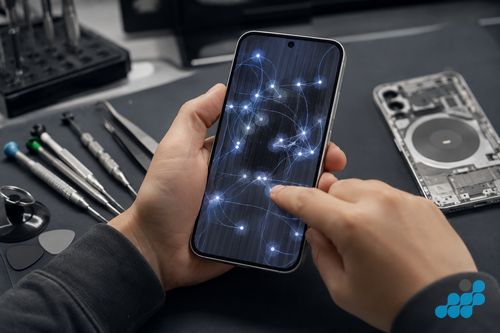
Ghost touch — the screen firing off taps nobody made, sometimes a cascade of phantom presses marching across the keyboard — comes down to two things on a Nothing Phone: a digitiser that has been cracked or contaminated, or dirty electrical power reaching it from a failing charger. Wipe the flat OLED clean, pull the charger out and watch whether the phantom taps stop, and bring NothingOS up to date. If the taps keep coming, especially clustered in one corner after a drop, the digitiser is the problem and the panel has to come off.
Green vertical line on screen
A crisp green line running top to bottom is the classic way an OLED panel announces it is failing — a driver or a column of emitters has lost its signal, usually after a knock or simply with the miles. Nothing uses a flat OLED with no curved edge to complicate the diagnosis, which makes this an easy call: no update ever brings the line back, so the panel is replaced. Our Nothing Phone screen replacement page has the detail.
Screen flickering or brightness issues
A flicker, or a brightness that lurches up and down on its own, is often nothing more than calibration. Switch adaptive brightness off and on again in NothingOS display settings, and apply any pending update first. If the flicker holds across every app and at every brightness level, the cause has moved into the panel itself or its backlight driver — that is hardware, not a setting.
Glyph interface problems
Glyph LEDs not lighting up
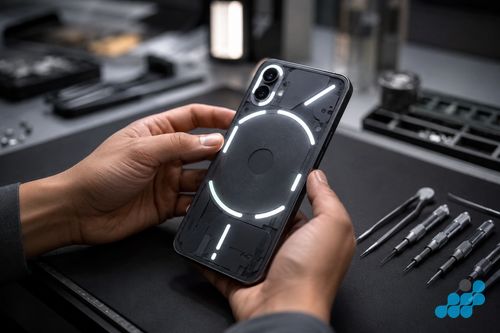
If the Glyph LEDs stay completely dark, start with the obvious: some Glyph modes and schedules switch them off, so check the settings and toggle the whole interface off and back on. Update NothingOS too, because Glyph timing and behaviour are tuned in software release by release. Dead LEDs across every notification, on the current build, point at the Glyph flex ribbon behind the transparent back — a flex or back-glass job rather than anything to do with the screen.
Glyph flickering randomly
Glyph LEDs that flutter at random are, more often than not, a bug in an older NothingOS build, so update before you assume the worst. Flicker that survives the latest software usually means the flex connector has worked loose, and reseating or replacing that ribbon settles it.
Battery & charging problems
Battery draining very fast
A Nothing battery that slowly gives up its stamina over a year or two is doing exactly what lithium cells do — check the health figure in NothingOS, and if it has slumped or the phone is cutting out before it reaches empty, a battery replacement sorts it. Drain that lands overnight is a different animal: that is almost always one misbehaving app, so open battery usage in settings and rein in or remove whatever is sitting at the top of the list.
Nothing Phone not charging
Clear the USB-C port of pocket lint, swap in a cable and plug you trust, and give the phone a soft reset. If it still refuses to take a charge cleanly, our charging port repair guide covers what comes next.
Overheating
A warm Nothing Phone is usually doing too much at once — a stack of background apps, gaming while it is plugged in, or simply a hot day. Shut the background apps down, keep heavy use and charging apart, and take the case off to let it breathe. Heat that arrives while the phone is sitting idle, or a back that has started to bulge, says the battery is failing — book a diagnostic for that one.
Software & performance problems
Boot loop
A phone that keeps restarting before it ever reaches the home screen is usually software gone wrong — a bad update, or a storage partition stuffed to the brim. Boot into safe mode to see whether a rogue app is behind it, and back everything up before you reach for a factory reset. If a clean reset still loops, the trouble is likely on the board and needs a proper diagnosis.
Lagging or slowing down
Clear some space first — a Nothing Phone with almost no free storage crawls — then install the latest NothingOS and look over RAM management in settings. The overwhelming majority of lag is storage or software, not a worn-out chip.
CMF Phone-specific faults
The CMF range does something no other Nothing Phone does: the back panel unclips and swaps. That flexibility comes with its own snags — a panel that is not clicked home squarely lets dust creep in underneath, and mounting points that have worn loose leave it rattling. Pop the panel off, check for grit, and press it firmly back into place before you go hunting for anything deeper.
When to stop DIY and book a repair
Once you have run the relevant free fixes and the fault is still there — a green line that will not shift, a port that has genuinely failed, a swollen cell, ghost touch that lingers after a drop — you are looking at hardware, and no amount of further fiddling changes that. Stop there and book a tracked, UK-wide mail-in repair. Our Nothing Phone repair costs and repair by post pages take it from here, and if you want to see how the same faults play out on other handsets, our Android, Samsung and OnePlus guides line them up side by side.
Reading the fault: NothingOS symptom or hardware failure?
The costliest mistake in Nothing troubleshooting runs in both directions: paying for a hardware repair when a NothingOS bug was the real culprit, or shrugging off a genuine panel failure until it spreads and takes more of the screen with it. The reassuring part is that the line between the two is nearly always something you can test on your own kitchen table in a couple of minutes. Here is how each of the faults above reads up close, Nothing by Nothing.
Green line, black bleed and dead-touch zones — the hardware line
Three display faults, one tell. Throw a plain white image up on the flat OLED, then a black one, then a photo: anything that is panel-level hardware sits in precisely the same spot through all three and shrugs off a reboot. A green vertical line is a column driver or a row of emitters that has stopped firing; a dark, ink-like blot that creeps outward is the display layer bruised under the glass; a patch where your taps go nowhere is a digitiser that has cracked or peeled away from the panel. Because Nothing's panel is flat, there is no curved edge muddying the read — if the mark ignores whatever is on screen, it is the panel talking. That is your cue to stop and move to a screen replacement. Nothing's OLEDs are thin on the ground outside official channels, which is the real reason the screen job costs what it does.
Ghost touch — the charger-noise test
Ghost touch wears two disguises, and one quick test strips them apart. A damaged or off-brand charger can push electrical noise up the cable and into the digitiser, throwing phantom taps — the cheap outcome. Unplug it and live on battery for an hour; if the screen settles, the charger or cable was lying to it, not the phone. If the phantom taps carry on unplugged, bunched in one area or dating from a drop, the digitiser is physically hurt and the panel needs replacing. Our ghost touch causes and fixes page goes wider on it.
Glyph faults — software first, flex second
The Glyph lights are the whole point of a Nothing Phone, and the cheerful truth is that most of their misbehaviour lives in software. Nothing tunes Glyph behaviour with almost every NothingOS update, so a stray flicker or a pattern that has gone dark on an older build tends to vanish after an update and a quick toggle of the Glyph settings. Start suspecting hardware only when the symptom is stubbornly consistent: the same zones dark or flickering across every notification, on the newest software. That points at the Glyph flex ribbon under the clear back — a flex or back-glass repair, not a full panel. CMF owners get one extra thing to try first: the removable back can sit a hair out of true and interrupt that ribbon, so a firm reseat is always the opening move.
Battery and charging — what is normal ageing
Run-time tailing off gently across two or three years is chemistry doing its thing, not a defect — read the health figure in NothingOS and swap the cell through our Nothing Phone battery replacement page once it starts forcing shutdowns. Drain that appears from nowhere is usually a rogue app instead. The one symptom you never wave away is a back panel that has begun to bow outward — that is a swelling cell and a safety matter, so stop charging and book it in. On charging itself, clear the port and try a cable you know is good before fearing the worst; a port that has genuinely failed is typically a board-mounted micro-solder job on our charging port repair page.
Frequently asked questions
Why does my Nothing Phone screen show a green line?
A green vertical line is the textbook way an OLED panel fails — a driver or emitter column dropping out after an impact or with age. It is a trait of OLED itself, not a Nothing defect, and no update will clear it. The panel has to be replaced.
How do I fix ghost touch on my Nothing Phone?
Wipe the screen, unplug the charger to rule out electrical noise, and update NothingOS. If the phantom taps stay — especially after a drop — the digitiser is damaged and the panel needs replacing.
Why is my Nothing Phone overheating?
Usually it is heavy background apps, gaming on charge, or a warm room. Close the apps, keep charging and heavy use apart, and lose the case. Heat at idle, or a swollen back, means the battery is on the way out — get a diagnostic.
Why has my Nothing Phone battery life suddenly got worse?
A sudden drop is nearly always one app draining power in the background — check battery usage in settings. A slow slide over months is ordinary ageing; read NothingOS battery health and replace the cell if it is low or cutting the phone off early.
Can a Nothing Phone boot loop be fixed?
Often, yes. Boot into safe mode to rule out a rogue app, back your data up, and try a factory reset. If the loop survives a reset, the fault is probably on the board and needs a diagnostic.
My Nothing Phone Glyph interface has stopped working — what should I do?
Check the Glyph settings, toggle the interface off and on, and update NothingOS. If the LEDs stay dead across every notification, the Glyph flex connector is the likely cause and a back-glass or flex repair fixes it.
Is the CMF Phone as reliable as the main Nothing Phone range?
The CMF Phone is a budget handset built around a modular, clip-off back. It runs the same NothingOS and holds up well for its price; its quirks are dust slipping under a poorly seated back panel and wear at the mounting points, both easy enough to stay on top of.