Acer Laptop Repair Cost UK 2026 — Aspire, Swift & Predator Published Prices
Direct answer: Acer laptop repair cost in the UK depends on the line and the fault. An Aspire screen runs from £129.95 on an Aspire 3 up to £149.95 on a current Aspire 5; a Swift ultrabook screen sits £179.95–£219.95; and a Predator or Nitro high-refresh gaming screen climbs from £189.95 to £279.95. Batteries are £84.95–£139.95, keyboards £99.95–£179.95 and charging ports £39.95–£59.95 across the range. Every figure below is published up front — no quote form — and standard repairs carry a tiered guarantee up to 27 months.
Acer is one of the widest laptop ranges on the UK market, and that breadth is exactly why a vague "get a quote" page is no use. The gap between a £129.95 screen on a budget Aspire 3 and a £279.95 high-refresh panel on a Predator Triton 17 X is the whole decision — and most generic repair guides treat every Windows laptop as if it were the same machine. This hub publishes the exact per-model price for the Acer range, drawn from our live price list, with the cost drivers — panel type, chassis access, internal versus accessible batteries, barrel-jack versus USB-C charging, gaming-grade thermal design — explained honestly rather than buried in a form. For the wider laptop picture, see our all-brand laptop screen cost guide and how Acer compares with HP, Dell, Lenovo and the MacBook repair cost guide.
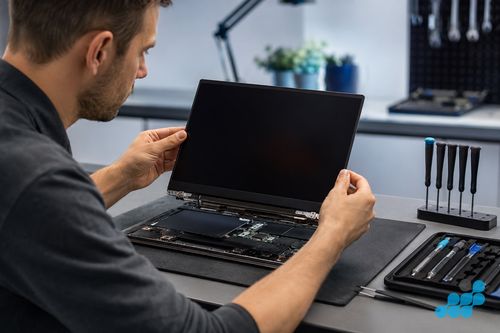
Acer laptop repair prices 2026
Prices are fitted, by post, including parts, labour; return delivery follows the order terms. Screens, batteries, keyboards and trackpads carry 27 months; charging ports, DC jacks and USB-C connectors carry the 9-month connector tier; board-level, microsoldering and liquid-damage work carries 120 days. If your exact Acer model is not in the tables, contact us for a quote — the current repair catalogue includes further devices, so the tables below are a representative slice, not the ceiling.
| Model | Series | Screen | Battery | Keyboard | Charging port |
|---|---|---|---|---|---|
| Swift X 16 (2025) | Swift | £209.95 | £119.95 | £149.95 | £44.95 |
| Swift Go 14 (2024) | Swift | £199.95 | £114.95 | £139.95 | £39.95 |
| Swift 3 (2023) | Swift | £179.95 | £99.95 | £119.95 | £39.95 |
| Aspire 5 (2025) | Aspire | £149.95 | £94.95 | £114.95 | £39.95 |
| Aspire 3 (2025) | Aspire | £139.95 | £89.95 | £109.95 | £39.95 |
| Aspire Vero 16 (2024) | Aspire | £149.95 | £94.95 | £114.95 | £39.95 |
| Nitro V 16 (2025) | Nitro | £189.95 | £104.95 | £134.95 | £39.95 |
| Predator Helios 16 (2025) | Predator | £259.95 | £129.95 | £169.95 | £49.95 |
| Predator Helios Neo 18 (2025) | Predator | £269.95 | £134.95 | £174.95 | £54.95 |
Diagnostics are free on standard repairs and £69.95 on board-level work, deducted if you proceed. Logic-board (motherboard) faults are quoted after the diagnostic — we never invent a figure. For focused breakdowns, see our Acer screen replacement page, the Acer battery & keyboard costs page, and our common Acer faults diagnostic guide.
Costs by Acer series — Aspire vs Swift vs Predator
Acer splits its range across four broad lines, and the line does more to set the price than almost any other factor. Understanding which family your machine belongs to is the fastest way to predict the bill.
- Aspire (budget-to-mid consumer). The Aspire 3 and Aspire 5 are the workhorses of the UK student and home-office market. Standard IPS panels, an accessible chassis and modest parts costs make these the most affordable Acer laptops to repair — screens from £129.95 and batteries from £84.95.
- Swift (premium ultrabook). Swift machines are thin, light and often OLED-equipped. That thin chassis complicates battery access (the cell frequently sits under the board), the panels cost more to source, and from 2021 onward most Swift models charge over USB-C — so a charge-port fault is board microsoldering rather than a socket swap.
- Predator & Nitro (gaming). High-refresh panels (144 Hz, 165 Hz, 240 Hz) must be an exact part match — you cannot drop a 60 Hz panel into a Predator. Large gaming battery packs cost more to source than ultrabook cells, and the dual-fan thermal design benefits from periodic thermal-paste renewal on heavily used machines.
- ConceptD (professional creative). A colour-critical creative line whose displays are calibrated to a tight tolerance. On these, OEM-grade panel sourcing matters more than on any other Acer — a cheap aftermarket substitute visibly drifts from the calibrated gamut.
Aspire repairs — budget-smart repairs
The Aspire 5 and Aspire 3 are the two most-repaired Acer models at celltech, simply because they are the two most-owned. The repair itself is usually straightforward: the Aspire chassis is built to a price but also built to be serviced, with a removable bottom panel that exposes the battery, the RAM and the SSD, and a screen assembly that separates with the bezel unclipped rather than heat-released. A standard Aspire IPS panel swap is one of the least expensive screen repairs in the laptop world.
The honest caveat is the repair-to-value ratio. An Aspire 3 is an inexpensive machine, so a £139.95 screen on a four-year-old Aspire 3 may approach a meaningful fraction of a like-for-like replacement. We always weigh that for you before any work starts — an Aspire 5, being mid-range, almost always clears the worth-repairing bar, while an older Aspire 3 deserves a quick conversation first. The Aspire Vero, with its recycled chassis, is every bit as serviceable as the standard Aspire and panels are available.
Predator & Nitro gaming repairs
Gaming Acers are a different repair conversation. The Predator Helios and Nitro lines trade up in every dimension that raises a repair bill: the high-refresh panel must be sourced to the exact refresh rate and connector, the battery is a large high-capacity pack, the keyboard on Predator models carries per-zone RGB lighting driven by PredatorSense and needs the Acer-specific assembly to restore the lighting zones, and the thermal design runs hot by design. See our Predator screen replacement page for the panel detail.
One repair that gaming Acers specifically benefit from is thermal-paste renewal. A Predator or Nitro that has done two or three years of sustained load can develop dust-clogged heatsink fins and dried-out thermal compound, which presents as throttling, fan noise and frame drops long before anything fails. Removing the heatsink, cleaning the die and reapplying quality compound can restore performance. If the machine still throttles at idle, that points to a hardware fault rather than ageing paste; we confirm the applicable diagnostic terms before quoting.
What an Acer laptop repair actually involves
Most Acer repairs are screen, battery or keyboard work, and the bench process is dictated by the line. An Aspire clamshell is the straightforward case: the bottom cover is removed, the display assembly is unplugged from the motherboard, the webcam and touch cables are detached, the new IPS panel is seated, the hinges are re-torqued to factory tension and the whole unit is function-tested — display, touch if fitted, webcam, backlight uniformity. A Nitro is similar, with more reassembly steps because the gaming chassis is more densely screwed and shielded around the thermal stack.
A Swift is the involved end of Acer screen work. The thin lid houses a fragile panel — OLED variants on the Swift X series especially — so it lifts on controlled soft heat and a plastic edge tool rather than leverage, because a heavy hand cracks the glass or damages the backlight layers. Once the new panel is seated, the connector is reseated and the assembly pressed evenly. Battery replacement on a thin Swift is the labour owners underestimate: on models where the cell sits under the motherboard, the board is lifted to reach it, which matters doubly when the pack is already swollen, then the connector is unclipped, the new cell seated and the battery controller reset so the machine reports accurate capacity again. An Aspire, with its panel-accessible battery, is far simpler for the same job.
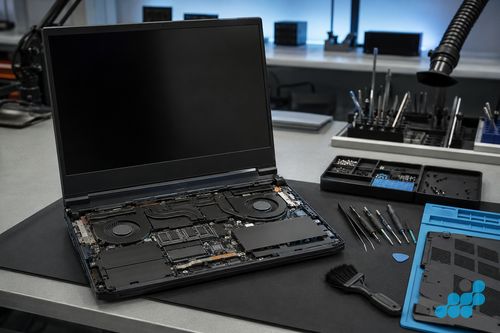
Keyboards vary sharply across the range. Older Aspire models use a standalone keyboard deck that lifts out independently — a cheaper, quicker repair. Newer Swift models integrate the keyboard into the palmrest top-case, so a "keyboard replacement" means the whole top-case assembly rather than a discrete deck. Predator keyboards carry per-zone RGB and must be sourced as the Acer-specific assembly to preserve the lighting. We quote the correct scope up front, never surprising you with it on the invoice.
Where the fault is board-level — a no-power Aspire, a charging-IC failure, a USB-C port torn from its pads, liquid damage — celltech does component-level diagnosis and microsoldering rather than the whole-board swap a manufacturer depot defaults to, which is usually far cheaper and, on most Acer laptops, preserves the data on the existing storage. We put the board under magnification, map the failed rail or component, reflow or replace just that part, and load-test before reassembly. Board-level and liquid work carries the 120-day tier. See our board-level repair explainer.
How we diagnose before you commit
The fastest way to overpay for a repair is to skip the diagnosis, so every Acer is bench-checked before we quote anything. We follow the symptom to its source: a dead Aspire or Nitro is put on the multimeter at the DC input to see whether power reaches the board or stops short; a flickering Swift has its eDP cable reseated and retested before the panel is condemned; a machine running hot is opened to check the heatsink duct for clogged dust and the thermal paste for the dried, chalky state that throttles it under load. Acer's built-in diagnostics and the pre-boot hardware check give us a quick cross-reference, but the price is fixed only once the real fault is named — the figure from the tables above, not a rounded guess.
That is most valuable on the faults where the symptom could mean several things at once. An Acer that "won't charge" may be nothing more than a failed charger lead — free to rule out at home before posting — or a worn USB-C port on a current Swift, a barrel-jack socket whose pads have torn loose on an older Aspire, or a charging IC that has failed deep on the motherboard. Each carries its own scope and its own price, and we confirm which one you are actually facing before you spend a penny.
celltech vs the Acer service depot
The alternative is worth laying out plainly. Once an Acer is out of warranty, the manufacturer route generally means a depot repair: a price that stays opaque until someone has inspected the machine, a single board fault cleared by swapping the entire logic board rather than the failed part, and a turnaround stretched across days of transit and queue. There is nothing wrong with using Acer's own service while a machine is still under warranty — that is what it is for. For an out-of-warranty Aspire, Swift or Predator, though, the two routes pull sharply apart.
Celltech publishes prices for listed repairs and repairs the failed component where viable rather than automatically replacing a whole board. Standard covered screen, battery, keyboard and trackpad work carries the stated 27-month guarantee, connector work 9 months, and board-level or liquid-damage work 120 days. Every repair carries data risk, so back up where possible.
Genuine-grade vs aftermarket Acer parts
Every display, cell and keyboard we fit is OEM-grade, matched to Acer’s original specification for colour, brightness, capacity and key travel, and the exact part is named before any work starts. Cut-price aftermarket panels reliably surrender colour accuracy and even backlighting — most visible on a Swift OLED or a colour-critical ConceptD, where the substitute looks washed-out and drifts off the calibrated gamut. Aftermarket cells overstate their capacity and swell early, the last thing you want packed inside a thin Swift chassis, and on a Predator high-refresh panel there is simply no credible aftermarket equivalent — the refresh rate and connector demand the precise part. Our genuine vs aftermarket parts guide covers it in full.
How celltech mail-in repair works for Acer laptops
celltech is a UK-wide mail-in specialist. Book at /repair/laptop/acer, post your Acer using suitable tracked postage arranged from the order instructions and select compensation cover appropriate for the device (our packing guide covers packing a laptop safely, line by line), and we diagnose under the stated terms, confirm the exact price, fit the OEM-grade part, test, and return it under the delivery terms shown for the order with your guarantee logged. The service runs entirely by post — you can be anywhere in the UK. For the broader mail-in picture, see our laptop repair by post guide.
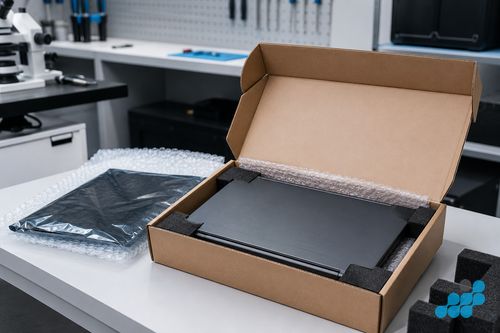
Post in a rigid box with corner foam; tape the lid closed so the hinge does not flex in transit.
Is your Acer worth repairing?
Almost always — with one honest exception. A Swift ultrabook or a Predator gaming machine is almost always worth repairing even at four or five years old, because the build quality and the panel justify the part cost. An Aspire 5, being mid-range, clears the bar on a screen, battery or keyboard. The genuine judgement call is an older budget Aspire 3, where a repair approaching the price of a like-for-like replacement deserves a quick conversation before you commit. We diagnose under the stated terms and weigh that for you first — including a Predator with suspected GPU damage, which always starts with a diagnostic rather than an assumed bill. See our repair-vs-replace decision guide.
Frequently asked questions
How much does an Acer Aspire screen replacement cost in the UK?
An Aspire screen runs £129.95 on an Aspire 3 (2025) up to £149.95 on a current Aspire 5 or Aspire Vero 16. Every Aspire model's price is in the table above, and each carries the 27-month guarantee.
Is it worth repairing an Acer laptop if it's a budget model?
Usually yes — a £89.95 battery or a £139.95 screen returns a perfectly good machine to full life for a fraction of a replacement. The honest exception is an older budget Aspire 3 where the repair approaches the cost of a like-for-like replacement; we diagnose under the stated terms and weigh it with you first.
Can you repair an Acer Predator gaming laptop by post?
Yes. We cover the full Predator and Nitro range by post, including high-refresh panels, the per-zone RGB keyboard assembly and thermal-paste renewal. Gaming screens run £189.95 (Nitro V 16) up to £279.95 (Predator Triton 17 X), all published up front.
Will my data be safe during an Acer laptop repair?
On screen, battery, keyboard and most board-level work, yes — because we repair the component rather than swapping the whole board, your storage stays on the same machine it has always been on. We always advise a backup first where the machine is functional enough to make one.
Do you use genuine Acer parts?
We fit OEM-grade displays, cells and keyboards matched to the original specification, and we tell you what is going in before any work starts. On a Predator high-refresh panel or a colour-critical ConceptD, the exact part is essential and we source it accordingly. See our parts-grade guide.
What is celltech's guarantee on Acer laptop repairs?
Covered screens, batteries, keyboards and trackpads carry the stated 27-month guarantee. Charging ports, DC jacks and USB-C connectors use the 9-month tier; board-level and liquid-damage work uses the 120-day tier.
Can you fix an Acer laptop that won't turn on?
Often, yes. A no-power Acer may have a swollen battery, a failed USB-C power-delivery controller on a Swift, or a board-level charging-IC fault, each requiring a different repair. We confirm the fault, diagnostic terms and quote before work. See our common Acer faults guide.
How does Acer Swift repair differ from Aspire repair?
The Swift's thin chassis complicates battery access (the cell often sits under the board), its panels cost more to source — OLED on the Swift X especially — and from 2021 onward it charges over USB-C, so a charge-port fault there is board microsoldering. The Aspire is built to be serviced, with an accessible battery and a standard panel, which is why it costs less to repair.