Common Acer Laptop Faults & Fixes — Aspire, Swift, Predator & Nitro Problems Diagnosed
Direct answer: The most common Acer laptop faults are a cracked or loose screen, battery swelling or failure, hinge wear on plastic-bodied consumer models such as the Aspire, keyboard damage after a liquid spill, overheating from blocked heatsinks or dried thermal paste (Predator and Nitro gaming models), and charging-port wear. Most are repairable. Celltech confirms the applicable diagnostic terms and quote before work.
Acer's range is broad, and the faults it develops split clearly by line: Aspire student and home machines come in with keyboard, screen and hinge faults; Predator and Nitro gaming machines arrive with overheating and thermal throttling; Swift ultrabooks arrive with USB-C charging and thin-chassis issues. This guide walks through each fault with the real diagnostic steps, so you can name the problem, gauge its severity, and decide whether it is a home check or a bench repair. For exact pricing on any of these, follow the links to our Acer repair cost guide, screen replacement and battery & keyboard pages.
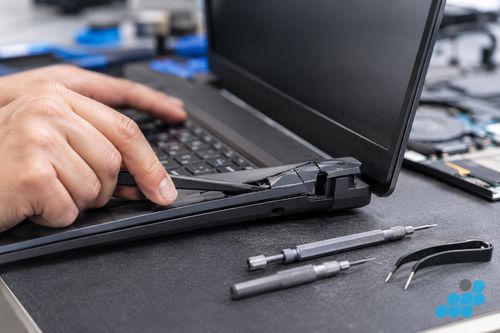
Acer laptop won't turn on
A no-power Acer is the most alarming symptom, and the cause is almost always one of three things. The first home check is a discharge reset: disconnect the charger, hold the power button down for a slow thirty count, reconnect the charger, and try to power on. This bleeds off the stored charge on the board and revives a surprising number of apparently "dead" machines.
If that fails, the line matters. On an Aspire, check whether the battery is swollen — a bulge under the chassis or a touchpad that has lifted is the tell-tale sign, and a swollen cell can prevent the machine from powering on. On a Swift or Predator that charges over USB-C, check the power delivery: try a different USB-C PD charger at the correct wattage, because a worn port or a failed PD controller can stop the machine negotiating charge at all. On a Predator that has been pushed hard, a GPU stress failure can cause a no-POST state where the fans spin but nothing appears on screen — that is a board-level fault and needs a diagnostic. We run all of these checks for free before quoting.
Acer Predator & Nitro overheating / thermal throttling
Overheating is the signature Predator and Nitro fault, and the first thing to separate is design behaviour from a real failure. A Predator Helios 300 throttling at sustained load in balanced mode is partly design behaviour — check the PredatorSense power mode and try Acer's CoolBoost fan setting first. If it still throttles at idle, or if a fan has stopped spinning entirely, that points to a genuine hardware fault rather than the mode it is running in.
A common cause of overheating is a blocked heatsink — dust packed into the fins plus thermal paste that has hardened after years of heavy use. The repair is a heatsink clean and thermal-paste renewal. If the CPU clock speed remains throttled at idle, or a fan is seized, the fault has moved beyond ageing paste into a hardware issue. We confirm the applicable diagnostic terms before quoting. See the Acer repair cost guide for thermal-paste work pricing.
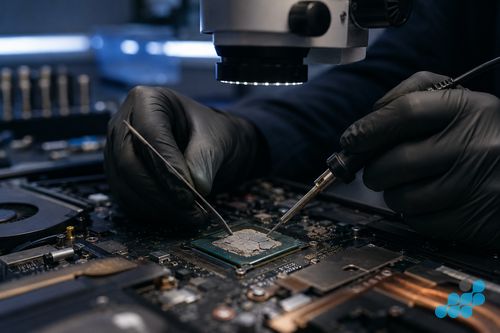
Screen problems — flickering, black screen, dead pixels
Acer screen faults split by cause. On Aspire models with frequent hinge use, the display (eDP) cable can wear over time, producing flickering or a screen that cuts out at certain lid angles — often a cable reseat rather than a panel replacement. On a Predator, GPU driver issues can mimic a hardware screen fault, so a clean re-install of the Nvidia drivers is worth doing before sending the machine anywhere. Horizontal lines or a half-screen display, by contrast, are a panel fault that requires replacement — calibration and driver resets will not move them. See our Acer screen replacement page for per-model pricing across Aspire, Swift and Predator panels.
Hinge problems — Aspire plastic hinge wear
Hinge wear is a classic repair-bench observation on plastic-bodied consumer Acers such as the Aspire. The plastic hinge shroud can crack over time, and the danger is not the cosmetic crack itself but what it does next: a broken hinge mount can pinch the lid cable that runs through it, causing intermittent display failure or a dead screen. The aluminium Swift hinge and the metal Predator hinge are far more robust, so this is overwhelmingly an Aspire and budget-consumer issue. The action is to address a cracked plastic hinge before it causes screen damage — a hinge repair is far cheaper than a hinge repair plus a screen replacement. See the Acer repair cost guide for hinge repair pricing.
Keyboard not working
A failed Acer keyboard is usually liquid damage or key-clip wear. A liquid spill takes out a cluster of keys and, on most 2020+ Acer models, means a full top-case replacement because the deck is bonded to the palmrest; if the liquid has reached the motherboard, the repair becomes board-level (carrying the 120-day tier) and needs prompt assessment to stop corrosion. On a budget Aspire, individual key clips can snap and a single-key repair may be viable. On a Predator, heavy gaming use wears the WASD cluster faster than the surrounding keys. See our Acer battery & keyboard page for per-model pricing, including the PredatorSense per-zone RGB assembly.
Charging problems
Charging faults split by charging technology. Older Aspire models use a barrel DC jack, which wears mechanically over time — the symptom is a plug that only makes contact at a certain angle. Newer Swift and Predator models charge over USB-C, where a worn port or a failed PD controller on the motherboard is the more likely cause. The home checks are straightforward: charge from a different wall socket, try a different charger and cable, and check the Windows battery icon to see whether the machine registers a connection at all. If the port itself is damaged, the repair carries the 9-month connector tier; if the PD controller on the board has failed, it becomes board-level microsoldering carrying the 120-day tier. Either way the diagnostic terms are confirmed before work, and we tell you exactly which tier applies before any work starts. See the Acer repair cost guide for charging-port pricing.
Repair or replace?
The honest answer splits by line. A Swift premium machine — repair almost always wins, because the ultrabook build and panel justify the part cost. An Aspire 5 — repair if the cost is under roughly 40 % of a like-for-like replacement, which it usually is on a screen, battery or keyboard. An older budget Aspire 3 — run the numbers with us first, because the machine's value is low and a repair approaching replacement cost is a poor deal. A Predator — screen, battery and keyboard repairs are almost always worth it; suspected GPU damage should always start with a diagnostic rather than an assumed bill. Across the range, where liquid has reached the motherboard, see our board-level repair explainer for what that work involves.
Frequently asked questions
Why won't my Acer laptop turn on even when plugged in?
Try a discharge reset first (disconnect the charger, hold power for around thirty seconds, reconnect, try again). If that fails, an Aspire may have a swollen battery, a Swift or Predator may have a USB-C power-delivery fault, or a Predator pushed hard may have a GPU no-POST failure. We confirm the fault and applicable diagnostic terms before quoting.
Why does my Acer Predator throttle even with CoolBoost on?
CoolBoost raises the fan curve, but if the machine still throttles at idle the fault is almost certainly a blocked heatsink and dried thermal paste rather than a fan-mode setting. A heatsink clean and thermal-paste renewal usually recovers the lost performance. We diagnose under the stated terms before quoting.
Can a cracked Acer Aspire hinge be repaired?
Yes — and it should be addressed before the broken mount pinches the lid cable and causes a screen fault. A hinge repair is far cheaper than a hinge repair plus a screen replacement, so an early fix saves money.
Is an Acer Aspire worth repairing if the screen has failed?
An Aspire 5 or Vero — yes. An older budget Aspire 3 — weigh the screen cost against the machine's remaining value; if the repair approaches the cost of a like-for-like replacement, discuss it with us first. See our screen replacement page for per-model pricing.
Why does my Acer laptop screen flicker when I open the lid?
That is a classic worn display (eDP) cable symptom on Aspire models with frequent hinge use — the cable fatigues where it passes through the hinge. It is often a cable reseat rather than a full panel replacement. We diagnose under the stated terms to confirm which.
My Acer charges only at a certain angle — what does that mean?
On an older Aspire with a barrel DC jack it can mean the jack is worn and needs replacing (9-month connector tier). On a USB-C Swift or Predator it may instead be a worn USB-C port or failing PD controller. We confirm the cause and applicable diagnostic terms before quoting.
What diagnostic terms apply before I commit?
Yes. Diagnostics are free on standard repairs (£69.95 on board-level work, deducted if you proceed). Send your Acer via /repair/laptop/acer and we pin down the exact fault before you spend anything on a repair.