Nintendo Switch Dock HDMI Not Working — Repair Cost UK 2026
Direct answer: If your Nintendo Switch is not displaying on a TV, the fault is usually in the dock's HDMI board, the Switch's USB-C port, or the Switch's video output chip — not the HDMI cable. The tell-tale clue is that handheld mode still works perfectly, which isolates the fault to the TV-output path. Dock HDMI repair runs £44.95 on the original Switch, £49.95 on the OLED and £54.95 on the Switch 2 (the Lite is handheld-only with no dock). Testing with a different dock quickly isolates whether the dock or the console is at fault. Dock repairs carry the 9-month connector tier; console USB-C video-chip work is priced separately as board-level repair.
A Switch that will not appear on the television is one of the most common console faults we see, and one of the most mis-diagnosed at home — because the same "black screen on the TV" symptom can come from three different places. The single most useful clue is that handheld mode almost always still works, which immediately isolates the fault to the TV-output path rather than the console itself. The dock HDMI repair price by model is below, and more usefully, so are the four tests that tell you whether the fault is the dock, the cable, the console's USB-C port or the console's video output chip — before you spend a penny. For the wider Switch picture, see the Switch repair cost hub.
Switch dock HDMI repair prices 2026
Prices are fitted by post, including parts, labour; return delivery follows the order terms. The dock HDMI board carries the 9-month connector tier. If the fault turns out to be on the console side — the USB-C port or the video output chip — that is a separate repair line: USB-C port work carries the 9-month tier, and video-chip / board-level work carries 120 days. Diagnostics are free on standard repairs. Send the console and dock together if you are unsure which is faulty and we diagnose both.
| Model | Dock HDMI repair | Console USB-C port (if at fault) |
|---|---|---|
| Nintendo Switch 2 | £54.95 | £69.95 |
| Nintendo Switch OLED | £49.95 | £64.95 |
| Nintendo Switch (original) | £44.95 | £59.95 |
| Nintendo Switch Lite | N/A — handheld only, no dock and no TV output | |
See the hub's full Switch price table for the complete range, and our sibling Switch charging port and Switch OLED screen pages.
Is it the dock or the console?
Before booking a repair, work through these four tests in order. They take ten minutes and they reliably separate a dock fault from a console fault — which is the difference between a £44.95 dock repair and a console-side repair at a different price.
- Test 1 — different HDMI cable. Swap in a known-good HDMI cable between the dock and the TV. If TV mode returns, the cable was the fault and there is no repair to book.
- Test 2 — different TV HDMI port. Move the cable to a different HDMI input on the television. If TV mode returns, the TV port was the fault.
- Test 3 — a different dock. This is the decisive test. Put your Switch in a friend's working dock. If TV mode works there, your dock is faulty; if TV mode still fails with a known-good dock, the fault is on the console — the USB-C port or the video output chip.
- Test 4 — does the dock still charge the Switch? If the console charges normally while seated in the dock but produces no TV picture, the dock's power path is fine and the HDMI board is the faulty component — a dock repair.
The pattern that points to a console-side fault is: TV mode fails across multiple docks and cables, and the console may also show charging oddities. The pattern that points to a dock fault is: handheld mode is perfect, the console charges in the dock, but no dock produces a picture. If you cannot run these tests, send the console and dock together and we run them for you under a diagnostic.
Dock HDMI board failure
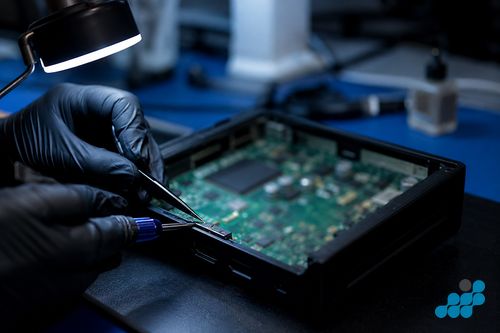
The Switch dock is more than a plastic stand — it contains a small circuit board that takes the console's video signal over its USB-C connector and converts it to the HDMI output your television reads. That board can fail from a power surge, from age, or from the HDMI connector itself wearing or being damaged by a forced plug. The repair diagnoses whether the video board or the connector is at fault and replaces the failed part. This is the dock-side repair at the prices above, and it carries the 9-month connector tier.
Switch console USB-C video output
When Test 3 shows the fault is the console rather than the dock, the culprit is usually one of two things: the console's USB-C port, which carries both charge and the video signal, or the video output chip on the mainboard. The original Switch outputs video over its USB-C connector, so a damaged or worn USB-C port can break TV output while leaving handheld mode working. A worn port is a connector repair (9-month tier); a failed video output chip is board-level microsoldering (120-day tier). The distinction matters because the two are different work at different prices — which is why we diagnose before quoting. See our board-level microsoldering explainer.
Nintendo Switch 2 specific notes
The Switch 2 supports higher-resolution TV output than the original, which means more complex dock and video circuitry — reflected in the £54.95 Switch 2 dock price against £44.95 on the original. We refer to the Switch 2's connector generically as USB-C and do not assume a specific signal specification beyond what the hardware presents. The diagnostic logic is the same: handheld mode working + no TV picture isolates the fault to the dock or the console's video path, and the four tests above still apply.
Is it worth repairing the dock?
A dock HDMI repair at £44.95–£54.95 can cost less than a replacement official dock. Where the fault is console-side, a USB-C port or video-chip repair can retain the existing console rather than replace it. Sync or back up saves first because no repair is risk-free for data. See our console repair cost UK page and PS5 HDMI port repair guide for the distinct console-side job.
Sending your Switch (and dock) by post
If you are unsure whether the dock or console is at fault, send both together — book at /repair/gaming/handheld, remove any game card, back up saves where possible, and pack both items in a rigid padded box. We confirm the diagnostic terms, identify the failed component and quote before work. Standard dock and port work carries the 9-month tier; board-level video-chip work carries 120 days. Choose a suitable tracked inbound service; return delivery follows the order terms.
Remove the Joy-Cons and post them clipped to the rail or in a separate sleeve; the OLED panel is exposed edge-to-edge.
What a dock HDMI repair actually involves
A dock repair is a different job from a console repair, and the bench process reflects that. Once the four tests have isolated the fault to the dock, the dock enclosure is opened, the small HDMI board is exposed, and we diagnose whether the fault is the HDMI connector itself (worn, bent pins, or a damaged socket from a forced plug) or the video-conversion circuitry on the board (failed from a power surge or age). A worn connector is desoldered and a new one seated; a failed board is replaced. The enclosure is reassembled and the dock is load-tested — we seat a console, confirm it charges, and confirm a clean picture reaches the television over a known-good HDMI cable at the dock's intended output. Dock and connector work carries the 9-month tier.
A console-side fault follows a different path. If the tests show the console rather than the dock, the USB-C port on the console is inspected first — a worn or damaged port is a connector repair at the prices in the second column, carrying the 9-month tier. If the port is healthy but TV output still fails, the video output chip on the mainboard is the suspect, and that is board-level microsoldering — the chip is diagnosed under magnification, the failed component is reflowed or replaced, and the board is load-tested before reassembly. That work carries the 120-day tier. The point of diagnosing before quoting is that a worn port and a failed video chip produce the same "no TV picture" symptom but are very different work at very different prices.
Frequently asked questions
How much does Nintendo Switch dock HDMI repair cost?
£44.95 on the original Switch, £49.95 on the OLED and £54.95 on the Switch 2, dock board and labour included. The Lite has no dock. Dock repairs carry the 9-month connector tier.
How do I know if the fault is the dock or the Switch itself?
Put your Switch in a friend's working dock. If TV mode works there, your dock is faulty; if it still fails, the fault is on the console (USB-C port or video chip). Also swap the HDMI cable and TV port first to rule those out. Send both together if you cannot test, and we diagnose under the stated terms.
Can the Nintendo Switch 2 dock HDMI be repaired?
Yes — the Switch 2 dock has its own HDMI board, repaired at £54.95. The Switch 2's more complex TV-output circuitry is reflected in the higher price relative to the original.
Does Switch Lite work with a TV?
No. The Switch Lite is handheld-only — it has no dock and no TV-output hardware, so there is no dock HDMI repair line for it. A Lite screen or battery can still be repaired.
Can celltech diagnose whether it's the dock or the console?
Yes. Send the console and dock together. We confirm the diagnostic terms, identify the failed component and quote before work. Standard dock and port work carries the 9-month tier; board-level video-chip work carries 120 days.
What postage should I use to send a Switch and dock together?
Follow the completed-order instructions and choose suitable tracked inbound postage with compensation cover appropriate for the console and dock. Pack each item in bubble wrap inside a rigid outer box, remove the game card and back up saves to your Nintendo Account cloud first. Book at /repair/gaming/handheld.