Nintendo Switch Charging Port Repair Cost UK 2026
Direct answer: Before booking a repair, clean the Switch's USB-C port with a dry wooden cocktail stick and try a different cable — lint blockage and faulty accessories are the most common causes of intermittent charging failure, and both are free to rule out at home. If the port is physically damaged or still will not charge after cleaning, the repair runs £54.95 on the Switch Lite, £59.95 on the original Switch, £64.95 on the OLED and £69.95 on the Switch 2. Charging-port repairs carry a 9-month guarantee (the connector tier) — shorter than our 27-month screen tier because a connector is a wearing part subjected to daily plug cycles.
A Switch that will not charge — or charges only when the cable is held at an angle — is one of the most common console faults, and it is also the one most often mis-read as a broken port when the real cause is a pocket of lint or a dead cable. This page starts with the diagnostic steps that rule out the free, at-home causes before you spend anything, then publishes the USB-C charging-port repair price for every Switch model, and sets out what the board-level job actually involves. For the full Switch range, see the Switch repair cost hub.
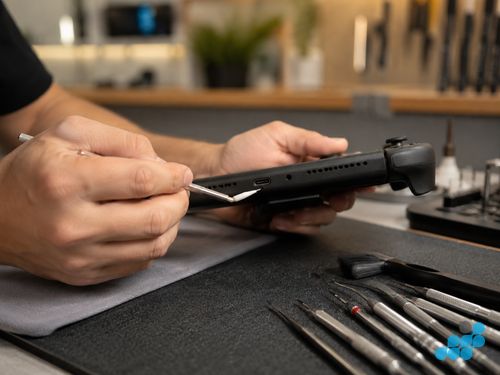
Charging port repair prices 2026
Prices are fitted by post, including the USB-C port, labour; return delivery follows the order terms. Charging-port and connector repairs carry the 9-month tier — shorter than our 27-month screen tier because a connector is a wearing part subjected to daily plug cycles. If the fault turns out to be the charging IC on the mainboard rather than the port itself, that is board-level work and carries the 120-day tier, quoted after a diagnostic. Diagnostics are free on standard repairs.
| Model | USB-C charging port repair |
|---|---|
| Nintendo Switch 2 | £69.95 |
| Nintendo Switch OLED | £64.95 |
| Nintendo Switch (original) | £59.95 |
| Nintendo Switch Lite | £54.95 |
See the hub's full Switch price table for the complete range, and our sibling Switch OLED screen and Switch dock HDMI pages.
Is it really the port? Diagnose first
Most "won't charge" Switches that arrive with us turn out to have a port full of pocket lint or a faulty accessory rather than a damaged port — both free to rule out. Work through these steps in order; only a console that still fails after all four genuinely needs a port repair.
- Step 1 — clean the port. Switch off the console and carefully pick lint and debris out of the USB-C port with a dry wooden cocktail stick (never metal, which can short the pins). Packed lint is the single most common cause of charging failure, and removing it often restores charging immediately.
- Step 2 — try a different USB-C cable. Swap in a known-good cable. A worn or kinked cable is the second most common culprit and costs nothing to rule out.
- Step 3 — try a different charger. Use a second official Nintendo charger or a reputable USB-C PD charger and a different wall socket. This separates a dead charger from a console fault.
- Step 4 — if it still fails, book the repair. A console that will not charge after a clean port, a known-good cable and a known-good charger has a port or charging-IC fault and needs bench work.
One more useful clue: if the console charges only when the cable is held or angled a particular way, the port itself is worn or physically damaged — that is a port repair, not a cable issue. And if the console charges slowly but reliably, the cell may be degrading rather than the port, which is a different repair (battery, on the 27-month tier) rather than a connector job.
What goes wrong with the Switch's USB-C port
- Physical damage — bent or broken pins inside the connector, usually from a forced plug, a drop onto the cable, or long-term wear. Shows up as intermittent charging or a loose, wobbly fit.
- Debris and corrosion — packed lint, or corrosion from moisture in the port, prevents the pins making clean contact. Cleaning resolves the lint case; corrosion may need the port replaced.
- Port desoldering from wear — the repeated stress of plugging and unplugging can crack the solder joints holding the port to the mainboard, so the port works intermittently as it lifts. This is a board-level resolder, not a simple part swap.
- Charging IC failure — the chip on the mainboard that manages power input can fail, giving a no-charge symptom even with a healthy port. This is board-level microsoldering, a separate repair line.
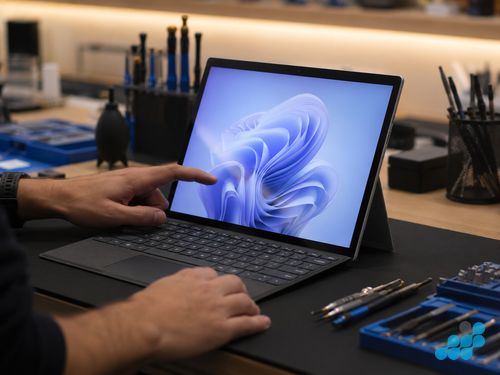
Nintendo Switch 2 charging port
The Switch 2 uses a USB-C charging port, and its port repair (£69.95) sits at the top of the range, reflecting the newer model's parts cost and the more involved disassembly of the current-generation console. We refer to the connector generically as USB-C and do not assume a specific signal specification beyond what the hardware presents. The diagnostic logic is identical to the rest of the line: clean, swap cable, swap charger, then book if it still fails.
Can you DIY a Switch charging port repair?
Realistically, no — not the port itself. The USB-C port is soldered directly to the console mainboard, so replacing a worn or damaged port is a hot-air rework job: the old port has to be desoldered, the pads inspected and re-tinned, and the new port precisely seated and load-tested for charge current. That needs a temperature-controlled hot-air station, flux, magnification and a steady hand, and the risk of lifting a pad or damaging an adjacent component is high for anyone without bench experience. The cleaning and cable-swap steps above are absolutely DIY-friendly; the port replacement is not. See our board-level repair explainer for why connector work on a games console is specialist territory.
Sending your Switch for charging port repair
Book at /repair/gaming/handheld, remove any game card from the slot, back up your save data to your Nintendo Account cloud, and pack the console in bubble wrap inside a rigid outer box. Post using suitable tracked postage arranged from the order instructions and select compensation cover appropriate for the device; we diagnose under the stated terms, confirm whether the fault is the port, the pads or the charging IC, fit the part (or resolder the board where needed), test charge current, and return it under the delivery terms shown for the order with your guarantee logged. Port work carries the 9-month connector tier; any board-level charging-IC work carries 120 days. For the wider charging-port picture across devices, see our charging port repair costs UK guide.
Remove the Joy-Cons and post them clipped to the rail or in a separate sleeve; the OLED panel is exposed edge-to-edge.
What a Switch charging port repair actually involves
A USB-C charging-port replacement on a Switch is board-level work, not a clip-in swap, because the port is soldered directly to the console mainboard. The console is opened, the mainboard is exposed, and the old port is desoldered with a temperature-controlled hot-air station and flux — the solder is reflowed evenly across the pads so each one releases cleanly, and the old port is lifted without pulling a pad off the board. The pads are then inspected under magnification: if the repeated stress of plugging and unplugging has cracked a solder joint or lifted a pad, the pad is re-tinned or a trace repaired before the new port goes on. The replacement port is precisely seated, soldered, and the board is load-tested for charge current before the console is reassembled. Port and connector work carries the 9-month tier.
When the fault is the charging IC on the mainboard rather than the port, the job moves up a tier. The chip that manages power input is diagnosed under magnification, the failed component is reflowed or replaced at the board level, and the board is load-tested before reassembly — board-level work carries the 120-day tier. The reason we diagnose before quoting is that a worn port and a failed charging IC both produce the same "won't charge" symptom but are different work at different prices, and only the diagnostic tells them apart. In every case we test that the console takes a full, stable charge and that the battery reports correctly before the handset goes back.
The cleaning step that opens this guide is the one part of the process a careful owner can do at home — and it is worth doing, because resolving a lint blockage avoids a repair entirely. Everything from the desolder onwards is specialist bench work: a rushed rework lifts pads, damages adjacent components, or leaves the port working intermittently, which is why this is a job for a repair bench with hot-air rework equipment rather than a home toolkit.
Frequently asked questions
How much does Nintendo Switch charging port repair cost in the UK?
£54.95 on the Switch Lite, £59.95 on the original Switch, £64.95 on the OLED and £69.95 on the Switch 2, port and labour included. Charging-port repairs carry the 9-month connector tier.
Why won't my Switch charge even with a new cable?
Once a known-good cable and charger are ruled out, the fault is usually a worn or damaged USB-C port, desoldered port pads, or a failed charging IC on the mainboard. Clean the port first (lint is the most common cause), and if it still fails, book a diagnostic so we can separate a port fault from a board-level one.
Can I clean the Switch charging port at home?
Yes — switch off the console and carefully remove lint with a dry wooden cocktail stick (never metal). It is step one for a reason: packed lint is the most common cause of charging failure and is free to fix. If cleaning does not restore charging, the port needs bench work.
Is Switch 2 charging port repair more expensive than the original Switch?
Yes — £69.95 against £59.95 on the original, reflecting the newer model's parts cost and more involved disassembly. The diagnostic logic (clean, swap cable, swap charger, then book) is identical across all four models.
Does port repair affect my game saves?
Charging-port work is normally separate from console storage, but no repair is risk-free. Back up to your Nintendo Account cloud before posting wherever possible.
How do I send my Switch for charging port repair?
Book at /repair/gaming/handheld, remove the game card, back up saves where possible, and pack the device in a rigid padded box. Choose a suitable tracked inbound service; diagnostic and return delivery follow the order terms.