Asus Laptop Repair Cost UK 2026 — ZenBook, VivoBook & ROG Published Prices
Direct answer: Asus laptop repair in the UK varies by series and fault type. From our live price list, a VivoBook IPS screen costs less to replace than a ZenBook OLED or a ROG high-refresh panel because the underlying components differ materially — a VivoBook S 15 screen is £159.95, a ZenBook S 16 OLED £229.95 and a ROG Zephyrus G16 £279.95. Batteries run £89.95–£139.95, keyboards £109.95–£179.95, charging ports £49.95–£74.95. Every price is published up front — no quote form — with a tiered guarantee up to 27 months.
Asus is one of the broadest laptop ranges on the UK market, and that breadth is exactly why a single "get a quote" page is no use. A student’s VivoBook, a creative’s ZenBook OLED and a gamer’s ROG are entirely different machines with entirely different parts — an IPS panel does not cost what an OLED panel costs, and a 60Hz screen does not cost what a 240Hz gaming panel costs — so a vague range hides the decision. This hub publishes the exact per-model price for the Asus range, drawn from our live price list, with the cost drivers (panel type, battery construction, keyboard assembly, barrel-jack versus USB-C charging) explained honestly. For the wider laptop picture, see how Asus compares with HP, Dell and Lenovo repair costs, and our MacBook repair cost guide.
A note on what we cover. The commercially viable Asus repairs are screen, battery, keyboard, charging port and fan, plus board-level microsoldering for USB-C port faults and component-level work. If your exact model is not in the tables below, contact us for a quote; the tables are a representative slice. Diagnostics are included on standard repairs and cost £69.95 on board-level work, deducted if you proceed.
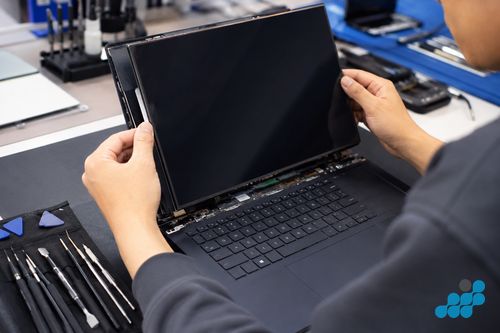
How much does Asus laptop repair cost in the UK?
The headline ranges from our live price list: a screen from £149.95 (VivoBook standard) up to £279.95 (ROG Zephyrus G16) and beyond for specialist panels; a battery £74.95–£139.95; a keyboard £84.95–£179.95; and a charging port £39.95–£74.95. The cost driver is almost always the series: VivoBook is engineered to a budget with standard IPS panels, ZenBook is a premium machine with OLED displays and a thin aluminium chassis, and ROG is a gaming line with high-refresh panels and a complex dual-fan thermal system. The panel is the single biggest swing on a screen repair.
What is in scope: screens, batteries, keyboards, charging ports, fans and board-level microsoldering. What is free: diagnostics on standard repairs. Standard screen, battery, keyboard and fan repairs carry the 27-month guarantee; charging ports and USB-C connectors carry the 9-month connector tier; board-level, microsolder and liquid-damage work carries 120 days.
Published repair costs by type
Screen replacement
An Asus screen replacement runs from £149.95 (an older ZenBook 14 UX433) up to £279.95 (a current ROG Zephyrus G16). The driver is the panel: a standard VivoBook IPS sits at the lower end, a ZenBook OLED costs more because the panel is dearer to source and demands OEM-grade colour accuracy, and a ROG high-refresh gaming panel costs more again because a 60Hz substitute would destroy the gaming experience. See the Asus screen replacement spoke for the full per-model table.
Battery replacement
An Asus battery runs £74.95–£139.95. ZenBook ultra-thin lines carry smaller cells glued tightly into the chassis (more labour to service safely), VivoBook batteries are standard mid-size internal packs, and ROG / TUF gaming machines carry large-capacity cells that cost more to source. A swollen or bulging battery is a safety matter on any Asus — handled correctly on the bench. See the battery and keyboard spoke.
Keyboard replacement
An Asus keyboard runs £84.95–£179.95. The variant drives the cost: a VivoBook standard keyboard is the most affordable, a ZenBook backlit keyboard sits in the middle, and a ROG keyboard with per-key RGB Aura Sync requires the Asus-specific top-case assembly to restore full RGB function — a more complex job than a standard swap. Liquid damage is the most common cause. See the battery and keyboard spoke.
Charging port repair
A charging-port repair runs £39.95–£74.95 (9-month connector tier). Most Asus models from 2021 onwards charge over USB-C PD, so a worn USB-C port is a board-level microsolder repair rather than a socket swap; many ROG models still use a proprietary barrel jack alongside USB-C, so it is worth confirming which you are using. Board-level USB-C work carries the 120-day tier.
Costs by Asus series — ZenBook vs VivoBook vs ROG
| Model | Series | Screen | Battery | Keyboard | Charging port |
|---|---|---|---|---|---|
| ZenBook S 16 (2025) | ZenBook OLED | £229.95 | £129.95 | £159.95 | £69.95 |
| ZenBook 14 OLED (2025) | ZenBook OLED | £219.95 | £119.95 | £149.95 | £64.95 |
| VivoBook S 16 OLED (2025) | VivoBook OLED | £169.95 | £99.95 | £119.95 | £54.95 |
| VivoBook S 15 OLED (2025) | VivoBook OLED | £159.95 | £89.95 | £109.95 | £49.95 |
| ROG Zephyrus G16 (2025) | ROG gaming | £279.95 | £139.95 | £179.95 | £74.95 |
| ROG Strix G18 (2025) | ROG gaming | £269.95 | £139.95 | £179.95 | £74.95 |
| TUF Gaming A16 (2025) | TUF gaming | £199.95 | £109.95 | £139.95 | £54.95 |
| TUF Gaming F16 (2025) | TUF gaming | £189.95 | £109.95 | £139.95 | £54.95 |
If your model is not listed, contact us for a quote. The pattern is clear: ZenBook OLED panels and ROG high-refresh panels sit at the top because the components are dearer; VivoBook and TUF sit lower because their parts are engineered to a price.
ZenBook repairs — what’s unique
ZenBook is the premium end — thin aluminium chassis, OLED displays, and the distinctive NumberPad that turns the touchpad into a numeric keypad on ZenBook Pro models. The thin aluminium lid increases disassembly complexity: the display assembly uses careful adhesive work rather than simple screw-fastened bezels, and the OLED panels demand OEM or OEM-grade sourcing because an aftermarket OLED loses the colour accuracy (sRGB / DCI-P3 coverage) that is the whole point of buying a ZenBook. The NumberPad on ZenBook Pro is integrated into the touchpad assembly — it is replaced as an assembly, not affected by a keyboard replacement, but worth knowing exists. ZenBook batteries are smaller cells glued tightly under the motherboard, which is more labour to service safely than a VivoBook pack.
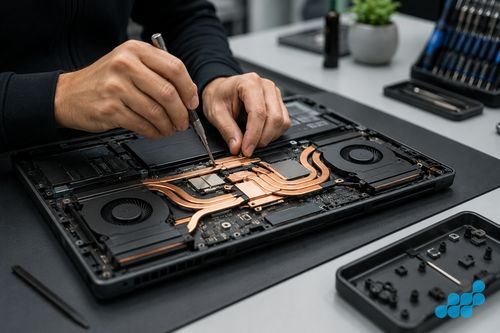
ROG gaming laptop repairs
ROG (Republic of Gamers) is the gaming line — Zephyrus (thin-and-light), Strix (full-power) and the crossover ROG Ally handheld (a separate handheld device, not covered here). Two things drive ROG repair cost. First, the high-refresh panels — 144Hz, 165Hz, 240Hz — are premium to source and must be matched to the exact panel model, because you cannot substitute a 60Hz IPS without gutting the gaming performance. Second, the dual-fan thermal system is more complex than a standard laptop fan, so fan replacement and thermal work take more bench time; the heatsink ducts benefit from periodic cleaning and thermal-paste renewal under heavy gaming use. ROG keyboards carry per-key RGB Aura Sync, which means the keyboard assembly includes the RGB controller and must be sourced as an Asus-specific assembly for the lighting to function after replacement.
What an Asus repair actually involves
Most Asus repairs are screen, battery or keyboard swaps, and the bench process follows the series. A VivoBook clamshell is the straightforward case: the bottom cover is removed, the display assembly is unplugged from the motherboard, the webcam and touch cables detached, the new IPS panel seated, the hinges re-torqued to factory tension, and the unit function-tested. A ZenBook is the involved end — the thin aluminium lid and the adhesive-bonded display mean careful separation under controlled heat, OEM-grade OLED sourcing, and post-replacement colour verification so the panel matches the original’s accuracy.
Battery replacement on the glued-back ZenBook lines is the labour owners underestimate: the cell must be unseated without puncturing, which matters doubly when the pack is already swollen, then the connector is unclipped, the new cell seated and the battery controller reset so the machine reports accurate capacity again. VivoBook batteries, with their standard internal packs, are far simpler to service. Keyboards vary by variant — a VivoBook scissor-switch deck is a quicker repair than a ROG per-key RGB assembly, which includes the lighting controller and demands the Asus-specific part. Where the fault is board-level — a worn USB-C port, a charging IC, a no-power Zephyrus — celltech does component-level microsoldering rather than the whole-board swap a depot defaults to, which is usually cheaper and, on most Asus laptops, preserves the data on the existing storage. Board-level and liquid work carries the 120-day tier. See our board-level repair explainer.
celltech vs the Asus service centre
Asus owners in the UK tend to describe the official service route the same way: pricey and slow. It means a depot booking, a quote that stays vague until the machine is opened, a board fault answered with a full logic-board exchange rather than a component-level fix, and the inevitable transit-plus-queue wait. While your ZenBook, VivoBook or ROG is still inside its Asus warranty, the official channel is the one to use. Once it is out of warranty, celltech is the sharper option: the price is on the page before you book, we mend the failed part rather than swapping the whole board wherever sense allows, and standard screen, battery, keyboard and fan work is backed for 27 months — a guarantee that runs well past the 12 months most independents settle on. After reassembly we run the machine back through its paces — Armoury Crate and the MyASUS hardware checks included — before it ships. Most hardware work does not normally require storage access, but every repair carries data risk; back up where possible.
Genuine-grade vs aftermarket parts
The displays, cells and keyboards we fit are OEM-grade, matched to Asus’s original specification for colour, brightness, capacity and key travel, and you will know the exact part before any work starts. A bargain aftermarket panel almost always trades away colour fidelity and even backlighting — nowhere more obvious than on a ZenBook OLED, where the substitute looks flat and washed-out beside the genuine cell that justified buying the machine. Aftermarket batteries overstate their capacity and swell early, the last thing you want sealed under the board of a glued-back ZenBook, and on a ROG panel a refresh rate that does not match guts the gaming feel outright — so we source the exact panel, never a near-enough one. Our parts-grade guide goes deeper.
How celltech mail-in repair works for Asus laptops
celltech is a UK-wide mail-in specialist — the service runs entirely by post, so you can be anywhere in the country. Book at /repair/laptop/asus, follow the completed-order instructions for inbound carriage (our packing guide covers protecting a cracked screen and shipping a laptop safely), and we diagnose under the stated terms, confirm the exact price, fit the OEM-grade part, test, and return it under the delivery terms shown for the order with your guarantee logged. The laptop repair by post guide covers the full flow.
Is it worth repairing your Asus laptop?
Almost always — with the series in mind. A ZenBook is worth repairing even at four or five years old: a £129.95 battery or a £229.95 OLED screen returns a premium machine to full life, underwritten by the 27-month guarantee, and the OLED quality justifies the repair cost over a replacement. A VivoBook is worth repairing until the cost approaches the price of a like-for-like replacement. A ROG is worth a screen or battery repair; on a suspected GPU or motherboard fault, take the diagnostic first — board-level work can approach the machine’s value and we weigh that honestly before you spend. For the broader logic, see our repair-vs-replace guide and the common Asus faults troubleshooting spoke.
Frequently asked questions
How much does an Asus ZenBook screen replacement cost in the UK?
From our live price list, a ZenBook OLED screen runs £219.95 (ZenBook 14 OLED 2025) to £229.95 (ZenBook S 16 2025) on current models, with older ZenBook screens lower. OLED sourcing drives the premium over a VivoBook IPS. See the screen spoke.
Is it worth repairing an Asus VivoBook if the screen is cracked?
Usually yes — a VivoBook screen (£159.95–£169.95 on current OLED models, less on older IPS) is a fraction of a replacement and carries the 27-month guarantee. We weigh it against the device’s value if the unit is old.
Can you repair an Asus ROG gaming laptop by post?
Yes — full ROG coverage including Zephyrus and Strix. We source the exact high-refresh panel and the Asus-specific RGB keyboard assembly, and handle the dual-fan thermal system. Book at /repair/laptop/asus.
Will my data be safe during an Asus laptop repair?
Component-level work may leave the existing storage in place, but no repair is risk-free and normal operation cannot be promised in advance. Back up first whenever possible.
Do you use genuine Asus panels for screen replacements?
We fit OEM-grade displays matched to the original specification for colour, brightness and touch, and we tell you what is going in before any work starts. On ZenBook OLED and ROG high-refresh panels, OEM-grade sourcing is essential to preserve accuracy and refresh rate. See our parts-grade guide.
What is celltech’s guarantee on Asus laptop repairs?
27 months on screens, batteries, keyboards and fans — a guarantee that runs well past the 12 months most independents settle on. Charging ports and USB-C connectors carry 9 months; board-level, microsolder and liquid-damage work carries 120 days.
Can you fix an Asus laptop that won’t turn on?
Usually, yes. Our diagnostic separates a dead battery, a worn charging port and a board-level power fault — each a different repair at a different price — before you commit. See the common Asus faults guide.
How does the NumberPad on ZenBook Pro models affect repair?
The NumberPad is integrated into the touchpad assembly on ZenBook Pro, so it is replaced as an assembly and is not affected by a keyboard replacement. It does not change a screen or battery repair either — it is simply worth knowing it exists on those models.