Asus Laptop Battery & Keyboard Replacement Cost UK 2026 — ZenBook, VivoBook & ROG
Direct answer: Asus laptop battery replacement costs vary by series — ROG and TUF gaming laptops carry large-capacity packs that cost more to source, while ZenBook batteries are smaller but tightly integrated into the chassis. From our live price list, an Asus battery runs £74.95–£139.95 and a keyboard £84.95–£179.95, both with the 27-month guarantee. A swollen or bulging battery is a safety matter on any model. ROG keyboards with per-key RGB Aura Sync require an Asus-specific assembly to restore full lighting.
Battery and keyboard faults are two of the most-searched Asus repairs, and they sit naturally on one page because both are top-tier work that the hub cannot cover at full depth. This spoke gives you the published per-model prices from our live price list for both, explains why a ZenBook battery is more labour than a VivoBook one and why a ROG keyboard is more complex than a VivoBook deck, and covers the safety angle on swollen batteries. Read alongside the screen replacement spoke and the common Asus faults guide.
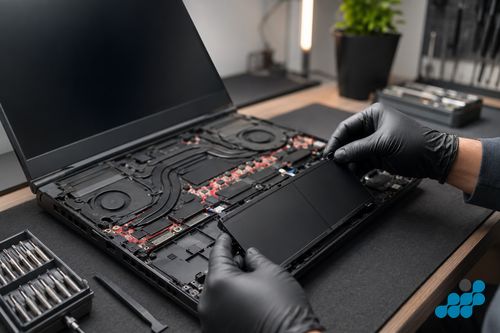
How much does Asus laptop battery replacement cost?
From our live price list, an Asus battery runs £74.95–£139.95. The series drives the cost: ZenBook ultra-thin lines carry smaller cells but they are tightly integrated into the chassis (more labour to service safely), VivoBook batteries are standard mid-size internal packs at the affordable end, and ROG / TUF gaming machines carry large-capacity cells that are dearer to source. A swollen or bulging battery should be treated as urgent regardless of model. The battery replacement carries the 27-month guarantee.
Asus battery replacement prices (2026)
| Model | Series | Battery price |
|---|---|---|
| ROG Zephyrus G16 (2025) | ROG gaming | £139.95 |
| ROG Strix G18 (2025) | ROG gaming | £139.95 |
| ZenBook S 16 (2025) | ZenBook OLED | £129.95 |
| ZenBook 14 OLED (2025) | ZenBook OLED | £119.95 |
| TUF Gaming A16 (2025) | TUF gaming | £109.95 |
| TUF Gaming F16 (2025) | TUF gaming | £109.95 |
| VivoBook S 16 OLED (2025) | VivoBook OLED | £99.95 |
| VivoBook S 15 OLED (2025) | VivoBook OLED | £89.95 |
| VivoBook 15 (2024) | VivoBook | £79.95 |
| VivoBook S 14 (2022) | VivoBook | £79.95 |
If your model is not listed, contact us for a quote. Diagnostics are free on standard repairs.
Asus battery types — internal vs high-capacity
- ZenBook ultra-thin: a small-cell battery glued under the motherboard, requiring complete disassembly to reach — the most labour of the Asus range.
- VivoBook: a standard internal battery with moderate disassembly — the affordable, straightforward end.
- ROG / TUF gaming: a large-capacity gaming pack, dearer to source and replace — the top of the price ladder.
- Swollen battery: the same safety procedure applies to every Asus. Stop using and charging a visibly swollen unit, do not puncture it, and bring it to a specialist — contact us before posting a swollen battery so we can advise on safe packing.
Is replacing an Asus battery worth it?
In most cases, yes. A ZenBook OLED is a premium machine, so a £119.95–£129.95 cell costs a fraction of replacing it, with the 27-month guarantee behind the spend. A budget VivoBook depends on its age, but at £79.95–£89.95 a fresh cell is usually still money well spent. On a ROG the battery is a mid-tier outlay against a high-value gaming rig, so it almost always stacks up. The honest exception is a tired unit where a battery and a second fault together creep toward the machine’s value — we diagnose under the stated terms and weigh that first. Where MyASUS still reports the rest of the system as healthy, the cell is nearly always the right call.
How much does Asus laptop keyboard replacement cost?
From our figures, an Asus keyboard runs £84.95–£179.95, with the variant driving the cost. A VivoBook standard keyboard (non-backlit or single-zone backlit) is the most affordable; a ZenBook backlit keyboard sits in the middle; and a ROG keyboard with per-key RGB Aura Sync is the most complex because the assembly includes the RGB controller and must be sourced as an Asus-specific part for the lighting to function after replacement. Liquid damage should be assessed urgently to prevent corrosion spreading to the motherboard. The keyboard replacement carries the 27-month guarantee.
Asus keyboard replacement prices (2026)
| Model | Series | Keyboard price |
|---|---|---|
| ROG Zephyrus G16 (2025) | ROG (per-key RGB) | £179.95 |
| ROG Strix G18 (2025) | ROG (per-key RGB) | £179.95 |
| ZenBook S 16 (2025) | ZenBook (backlit) | £159.95 |
| ZenBook 14 OLED (2025) | ZenBook (backlit) | £149.95 |
| TUF Gaming A16 (2025) | TUF (RGB) | £139.95 |
| TUF Gaming F16 (2025) | TUF (RGB) | £139.95 |
| VivoBook S 16 OLED (2025) | VivoBook (backlit) | £119.95 |
| VivoBook S 15 OLED (2025) | VivoBook (backlit) | £109.95 |
| VivoBook 15 (2024) | VivoBook (standard) | £104.95 |
| VivoBook S 14 (2022) | VivoBook (standard) | £89.95 |
Asus keyboard variants — backlight & RGB
- ZenBook: a backlit keyboard, standard single colour. Some ZenBook Pro models add the NumberPad in the touchpad — this is a separate assembly and is not affected by a keyboard replacement.
- ROG: per-key RGB Aura Sync. The keyboard assembly includes the RGB controller, so it must be sourced as an Asus-specific assembly for the full per-key lighting to function after replacement — a more complex job than a standard deck.
- VivoBook standard: non-backlit or single-zone backlit — the most affordable variant to replace.
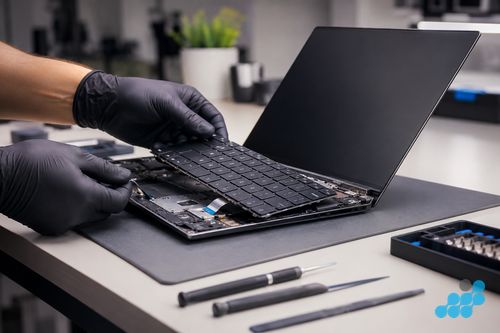
What the repair actually involves
A battery replacement differs sharply across the Asus range. A VivoBook is the straightforward case — the base cover lifts away, the internal pack is disconnected and unclipped, the new OEM-grade cell is fitted, and the gauge is relearned so capacity reads true again. A ZenBook is the involved end: its smaller cell is bonded tightly beneath the motherboard, so getting at it means a fuller teardown, and the pack must be freed without a puncture — doubly important once it has begun to swell. A ROG or TUF gaming battery is the biggest and the priciest to source, yet the roomier gaming chassis usually opens up more readily than a glued ZenBook, so its labour lands between the two. Gaming packs also take the hardest life: high discharge under load, run after run, wears a cell faster than light office use ever will.
A keyboard replacement varies by variant. A VivoBook chiclet deck is the quicker repair; a ZenBook backlit board sits in the middle; and a ROG per-key RGB Aura Sync assembly is the most involved, because the deck carries its own RGB controller and only the Asus-specific part will light correctly once fitted. After the swap we press-test every key, check the backlight, and on ROG models walk through the full per-key Aura mapping to confirm each zone responds. Where a spill was the cause, we inspect under the deck for corrosion creeping toward the motherboard — if it has reached the board, the job shifts to a board-level repair on the 120-day tier rather than a simple keyboard swap, and we say so plainly before going further.
Swollen Asus battery — handle with care
A swollen battery is a safety matter, not just a capacity one. If your Asus chassis is bulging, the trackpad is lifting, or the laptop no longer sits flat, stop using and stop charging it, keep it cool and fire-safe, and do not attempt to puncture or flex the swollen area — a punctured lithium cell is a fire risk. Bring it to a specialist. We unseal the swollen cell with the correct solvent and technique, dispose of it through the proper channel, and fit a new OEM-grade pack. When you post a visibly swollen Asus, tell us in advance so we can advise on safe packing — a swollen cell needs gentler transit than a healthy one.
Why Asus keyboards fail
- Liquid damage: the most common cause across the range — and ROG users are statistically more likely to have a drink on the desk while gaming. Assess urgently before corrosion spreads.
- Key mechanism wear: VivoBook scissor-switch keys can snap on individual caps after years of use.
- ROG rubber-dome wear: the rubber dome under heavy-use keys (WASD on a gaming machine) can degrade, leaving those keys unresponsive while the rest work.
Asus battery & keyboard repair by post
Book at /repair/laptop/asus, then follow the completed-order instructions for inbound carriage. If the battery is visibly swollen, tell us in advance so we can advise on safe packing. We diagnose under the stated terms on standard repairs, confirm the exact price from the tables, fit the OEM-grade cell or the correct Asus keyboard assembly (resetting the battery controller and verifying RGB lighting where relevant), test, and return the device under the delivery terms shown for the order with the 27-month guarantee logged. For the wider context, see the full Asus repair cost guide.
Frequently asked questions
How much does an Asus ZenBook battery replacement cost?
From our figures, £119.95 (ZenBook 14 OLED 2025) to £129.95 (ZenBook S 16 2025) on current models. The cell is small but tightly integrated into the chassis, which is more labour to service safely. 27-month guarantee.
Is it safe to use an Asus laptop with a swollen battery?
No — on any Asus, treat it as urgent. Power it down, keep it off the charger, leave it somewhere cool and fire-safe, never puncture or press on the bulge, and bring it to a specialist. Let us know before you post a swollen pack so we can advise on safe packing.
Will my Asus ROG keyboard RGB work after a keyboard replacement?
Yes — as long as the Asus-specific Aura Sync assembly, which carries the RGB controller, is the part fitted. We source that exact deck so the per-key lighting works fully afterwards; a generic replacement would leave the RGB dead.
Can you replace just the keys on an Asus laptop?
Individual snapped caps can sometimes be refitted on VivoBook scissor-switch mechanisms, but on most 2020-and-later models the reliable fix is a full keyboard or top-case assembly — especially after a spill. We quote the right scope up front.
Do you replace Asus laptop batteries by post?
Yes — the postal service is UK-wide. Book at /repair/laptop/asus, follow the completed-order instructions for inbound carriage, and flag it in advance if the battery is swollen so we can advise on safe packing.
How long does an Asus battery last after replacement?
A sound OEM-grade cell usually gives several years of normal use before you notice the capacity tailing off — and the 27-month guarantee runs well into that span. On a gaming ROG driven hot and hard, expect the lower end of that range.
What warranty covers Asus battery and keyboard repairs?
Twenty-seven months on both the battery and the keyboard — over double the year most workshops settle for. See our parts-quality guide for what goes into an Asus battery and keyboard repair.