Asus Laptop Screen Replacement Cost UK 2026 — ZenBook OLED vs ROG High-Refresh
Direct answer: Asus laptop screen replacement cost depends on panel type. From our live price list, a standard VivoBook IPS sits at the lower end, a ZenBook OLED costs more because the panel is dearer to source, and a ROG high-refresh gaming panel costs more again. A VivoBook S 15 screen is £159.95, a ZenBook S 16 OLED £229.95 and a ROG Zephyrus G16 £279.95. Touchscreen models (ZenBook Flip) include the digitiser as one assembly. Every price is published up front, with the 27-month guarantee on screen repairs.
A cracked, blank or flickering Asus screen is one of the most common reasons owners come looking for a repair — and the cost varies more than almost any other repair because the panel itself varies so much across the range. A ZenBook owner who bought the machine for its OLED colour accuracy, a VivoBook student on a budget, and a ROG gamer who needs the exact high-refresh panel are all asking the same question but the answer is genuinely different for each. This spoke is the screen-specific deep dive on the full Asus repair cost guide: exact figures from our live price list, the panel types that drive the cost, and how to send yours in.
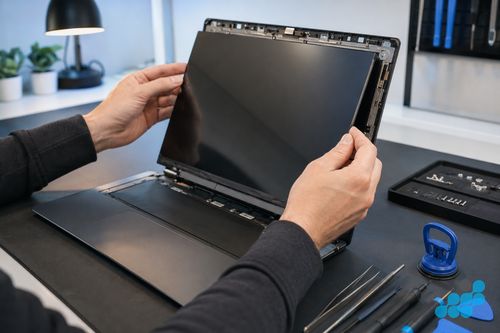
How much does an Asus screen replacement cost?
The range across the Asus line, from our live price list: a VivoBook screen £149.95–£169.95 (standard and OLED variants); a ZenBook screen £149.95 on older UX-series up to £229.95 on a current ZenBook S 16 OLED; a ROG screen £239.95–£279.95; and a TUF screen £189.95–£199.95. The driver is always the panel: IPS, OLED, high-refresh, or a touch assembly. Diagnostics are free on standard repairs, and every screen replacement carries the 27-month guarantee.
Asus screen replacement prices (2026)
| Model | Panel type | Refresh | Screen price |
|---|---|---|---|
| ROG Zephyrus G16 (2025) | IPS-level gaming | 240Hz | £279.95 |
| ROG Strix G18 (2025) | IPS-level gaming | 165Hz | £269.95 |
| ZenBook S 16 (2025) | OLED | 120Hz | £229.95 |
| ROG Zephyrus G16 (2024) | IPS-level gaming | 240Hz | £269.95 |
| ZenBook 14 OLED (2025) | OLED | 120Hz | £219.95 |
| ROG Strix G16 (2023) | IPS-level gaming | 165Hz | £239.95 |
| TUF Gaming A16 (2025) | IPS gaming | 165Hz | £199.95 |
| TUF Gaming F16 (2025) | IPS gaming | 165Hz | £189.95 |
| VivoBook S 16 OLED (2025) | OLED | 60Hz | £169.95 |
| VivoBook S 15 OLED (2025) | OLED | 60Hz | £159.95 |
| VivoBook 15 (2024) | IPS | 60Hz | £149.95 |
| VivoBook S 14 (2022) | IPS | 60Hz | £129.95 |
If your exact model is not listed, contact us for a quote; the table is a representative slice. For the all-brand picture, see our all-brand laptop screen cost comparison.
What drives the cost — Asus panel types
OLED panels (ZenBook S, ZenBook 14 OLED, VivoBook S OLED)
OLED is the premium tier. The panel is dearer to source than IPS, and OEM or OEM-grade sourcing is essential: an aftermarket OLED routinely loses the sRGB / DCI-P3 colour accuracy and deep contrast that justify buying an OLED laptop in the first place. After a ZenBook OLED replacement the colour calibration is verified so the new panel matches the original’s accuracy — a step most repair shops skip.
IPS Full HD (VivoBook standard, TUF)
IPS is the standard tier — more affordable panels, with quality aftermarket options available though OEM is still preferred for colour and brightness uniformity. A VivoBook IPS or a TUF 60Hz-equivalent panel sits at the lower end of the Asus screen ladder.
High-refresh (ROG, TUF Gaming — 144Hz, 165Hz, 240Hz)
High-refresh gaming panels are gaming-specific components with a fast response time and a high refresh rate. You cannot substitute a 60Hz IPS — doing so would destroy the gaming performance that is the entire point of a ROG or TUF machine. These panels must be sourced as the exact part number and are not interchangeable across models, which is why they sit at the top of the price ladder.
Touchscreen (ZenBook Flip, select VivoBook)
On a ZenBook Flip or a touch VivoBook, the touch digitiser is bonded to the panel and the whole unit is replaced as one assembly — there is no separate touch layer to swap. This adds modestly to the cost over a non-touch panel of the same size.
ZenBook screen repair — thin chassis considerations
The ZenBook’s thin aluminium lid means the display assembly uses careful adhesive work and precise separation rather than a simple screw-fastened bezel. On a ZenBook S 16 the OLED is freed by warming the adhesive evenly and walking a soft plastic pick around the edge, never prising — the cell is edge-lit and brittle, and one careless push leaves a crack you cannot polish out. Once the new OLED is seated, the colour output is verified against the original specification. The NumberPad-touchpad on ZenBook Pro is a separate assembly and is not affected by a screen replacement, but it is worth knowing it exists.
ROG screen repair — gaming panel specifics
ROG screens are not interchangeable. A Zephyrus thin-and-light panel differs from a Strix full-power panel, and within each line the high-refresh panel must be sourced as the exact part number — a substitute with the wrong refresh rate or response time ruins the gaming experience. We source the exact panel for the exact model and verify the refresh rate after fitting. The dual-fan thermal system sits behind the display assembly on some ROG layouts, so reassembly is a touch more involved than a standard clamshell.
Genuine vs aftermarket Asus panels
The display we fit is OEM-grade, matched to the factory part, and named to you before any work starts. Where a bargain panel hurts depends on the machine: on a ZenBook OLED it shows, the substitute looking pale and washed-out beside the original; on a ROG high-refresh panel it bites, a wrong-spec part dropping frames and softening the very motion clarity the laptop was bought for. See our genuine vs aftermarket display panels guide for the honest tiers.
Sending your Asus for screen repair by post
Book at /repair/laptop/asus, then follow the completed-order instructions for inbound carriage. If the screen is cracked, our packing guide covers protecting the damaged panel in transit so it does not shift or shed glass. We diagnose under the stated terms, confirm the exact price from the table, fit the OEM-grade panel, verify colour / touch / refresh rate, and return the device under the delivery terms shown for the order with the 27-month guarantee logged.
What an Asus screen replacement actually involves
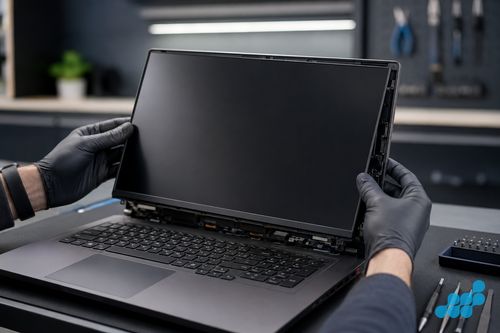
The bench process follows the panel type. A VivoBook IPS swap is the straightforward case: the bottom cover comes off, the display assembly is unplugged from the motherboard, the webcam and touch ribbons are detached, the tired IPS panel is lifted out, the replacement fitted, the hinges torqued back to factory tension, and the unit function-tested for display, touch and backlight uniformity. A ZenBook OLED is the involved end — the slim aluminium lid and its adhesive-bonded display mean the cell has to be coaxed free with even warmth and a plastic opening tool rather than any kind of prising, the OLED replacement is sourced to OEM grade, and the colour output is measured back against the factory profile so the sRGB / DCI-P3 accuracy holds. An edge-lit OLED is unforgiving — one heavy-handed moment and the glass is scrap.
A ROG high-refresh panel is the most involved, because the panel must be the exact part number and the dual-fan thermal system sits near the display assembly on some layouts, making reassembly a touch more careful. After fitting we verify the refresh rate (165Hz / 240Hz) and response time on top of the usual display and touch tests — because on a gaming panel the wrong refresh rate is a functional failure even if the picture looks fine. On touchscreen ZenBook Flip and VivoBook models the digitiser is bonded to the panel, so the whole assembly is replaced as one and the touch function is tested on the new unit.
Because the parts are series-specific and the procedure differs by panel type, the price you see in the table is the price you pay — we quote the correct scope up front, never surprising you with it on the invoice. Where a flicker turns out to be a hinge cable rather than the panel, our diagnostic catches it before the panel is condemned, so you only pay for a screen when a screen is genuinely the fault.
Is an Asus screen replacement worth the cost?
On a ZenBook OLED or a ROG, almost always — the panel quality justifies the repair cost over a replacement, and the 27-month guarantee underwrites it. On a VivoBook the screen is a fraction of a new machine and usually worth it, though we weigh it against the device’s value if the unit is old. For the broader logic, see our is a screen replacement worth it? guide, and for Asus battery and keyboard work alongside this, the battery and keyboard spoke.
Frequently asked questions
How much does an Asus ZenBook OLED screen replacement cost in the UK?
From our figures, £219.95 (ZenBook 14 OLED 2025) to £229.95 (ZenBook S 16 2025) on current models, with older ZenBook OLEDs lower. OLED sourcing and post-replacement colour calibration drive the premium over a VivoBook IPS.
Can Asus ROG gaming screens be replaced with the same high-refresh rate?
Yes — we source the exact high-refresh panel (165Hz / 240Hz) as the correct part number for your model and verify the refresh rate after fitting. A 60Hz substitute is never used because it would destroy the gaming experience.
Will colour accuracy be preserved after a ZenBook OLED replacement?
Yes. We fit an OEM-grade OLED and verify the colour output against the original specification (sRGB / DCI-P3). An aftermarket OLED would lose that accuracy, which is why we do not use one for a ZenBook.
Is it cheaper to replace an Asus screen yourself?
Rarely worth it. A DIY attempt risks cracking the OLED or ordering the wrong high-refresh part, and the savings on a single panel are small against the cost of a mistake. Our diagnostic and OEM-grade sourcing usually win on total cost and risk.
Do you repair Asus laptop screens by post?
Yes — UK-wide mail-in is available. Book at /repair/laptop/asus, follow the completed-order instructions and check the selected carrier's current tracking and compensation terms. Our packing guide covers protecting a cracked screen in transit.
What warranty do I get on an Asus screen replacement?
27 months. It covers the screen repair against any defect in parts or workmanship.