Direct answer: The most common Microsoft Surface faults are cracked fused screens, batteries that no longer hold charge (sometimes swelling), charging-port failures, won’t-turn-on / no-power, display glitches (flickering, black screen, dead touch) and overheating. A few have safe self-checks; most need a specialist because the screen and battery are bonded and glued with no service hatch. celltech repairs all of them UK-wide by post with a tiered guarantee — 27 months on screens, batteries and fans, 9 months on charging ports.
Surface is a beautiful device that does not give up its faults easily. Because the display is fused and the battery is glued behind it with no service hatch, the usual "open it and have a look" diagnosis does not apply — so the smart move is to identify the fault from its symptoms first, try the safe self-checks, and know which faults genuinely need a specialist before you spend anything. This guide maps each common Surface fault to its likely cause, the safe checks you can do at home, and an honest DIY-vs-specialist verdict, with the celltech price for the repairable faults. It feeds into the Surface repair price guide, the screen replacement spoke and the battery replacement spoke.
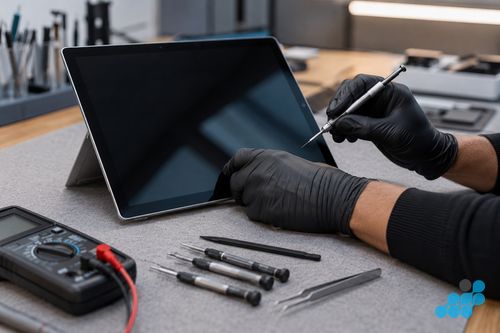
Cracked or broken screen
Symptom: cracked glass, a blank display, dead touch, lines, or light bleed. Likely cause: impact damage, or on older units, a swollen battery pressing the fused assembly from behind. On Surface the glass and panel are bonded as one, so even glass-only damage means a full fused-display assembly replacement. Safe self-check: if the picture is perfect under the crack, the panel is intact — but there is no glass-only shortcut on these bonded displays. Verdict: specialist. From our live price list, a fused-screen replacement runs £149.95 on a budget Surface Go up to £309.95 on a Surface Laptop Studio 2. See the screen replacement cost spoke.
Surface won’t turn on / no power
Symptom: the screen stays black, no lights, no response. Likely cause: a deeply discharged or dead battery, a faulty charger or cable, a worn charging port, or — less commonly — a board-level power fault. Safe self-checks: try a different charger and cable; perform a two-button restart (hold the power button for around 30 seconds, then press power again); on some models hold power and volume-up together. Leave it on the charger for an extended period before declaring it dead — a deeply flat cell can take a while to wake. Verdict: if the self-checks fail, specialist. Our diagnostic measures whether charge reaches the board and separates a dead battery from a port or board fault before you commit. Where the fault is genuinely board-level, that is a diagnostic matter rather than a Surface service we publish a price for — see our board-level repair explainer for context.
Surface not charging
Symptom: the device runs but the battery does not fill, or it only charges at certain angles, or the charging light does not appear. Likely cause: a worn or contaminated Surface Connect / USB-C charging port, a faulty cable or PSU, or a dead battery refusing to accept charge. Safe self-checks: try another charger and cable (free to rule out); inspect the port for lint or a bent pin; clean the Surface Connect contacts gently with a dry soft implement. Verdict: if a clean port and known-good charger still fail, specialist. A charging-port repair runs £39.95–£69.95 from our figures and carries the 9-month connector tier. See the hub’s charging-port column for your model.
Battery draining fast / won’t hold charge
Symptom: runtime has collapsed, the percentage drops in sudden jumps, or the device shuts down at 20–40%. Likely cause: an aged or degraded cell. Safe self-check: check whether background apps or a Windows update loop are running hot — a runaway process can masquerade as battery wear. Verdict: if the drain persists in normal use, the cell is the likely culprit and a replacement is the fix. A Surface battery runs £69.95–£159.95 from our figures with the 27-month guarantee. See the battery replacement spoke.
Swollen battery / lifting screen or trackpad
Symptom: the screen or trackpad lifts at one edge, the chassis bulges, or the device no longer sits flat. Likely cause: a swollen lithium cell — a safety matter. Safe action: stop using and stop charging it, keep it cool and fire-safe, do not puncture or flex the bulge. Verdict: specialist only — do not DIY. Tell us before posting so we can advise on safe packing; we unseal and dispose of the swollen cell through the proper channel and fit a new OEM-grade pack. See the battery spoke for prices and the swelling section.
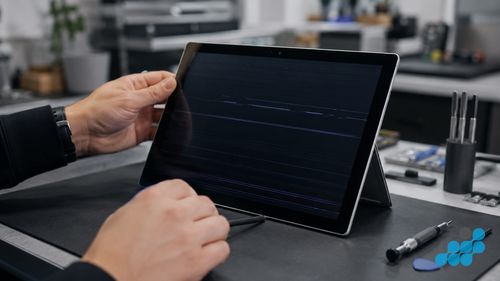
Flickering, black screen, dead touch, light bleed
Symptom: the display flickers, goes black intermittently, stops responding to touch, or shows edge light bleed. Likely cause: a display fault, a worn display ribbon (especially on the Surface Book hinge where the cable flexes), a connector seating issue, or a software/driver problem. Safe self-check: update Windows and the Surface graphics driver first; force a restart; check whether the flicker correlates with opening, closing or adjusting the screen angle (a hinge-cable tell). Verdict: if software does not resolve it, specialist. Because the assembly is fused, a confirmed display fault resolves to a fused-assembly replacement — but our diagnostic reseats and rules out the simple causes first, so you only pay for a screen when a screen is the fault. See the screen spoke.
Overheating & loud fan
Symptom: the device runs hot, the fan is loud or constant, or performance drops under load. Likely cause: on the fan-equipped families (Surface Pro, Surface Laptop, Surface Book, Surface Laptop Studio) this is often dust-clogged heatsink ducts or a fan nearing failure. Important: the entire Surface Go family and the Surface Laptop Go family are fanless — overheating there is throttling or a software/thermal-paste matter, not a fan fault, and "replace the fan" advice does not apply. Safe self-check: clear dust from the vents with compressed air; check Task Manager for a runaway process; keep the device on a hard surface rather than a bed or cushion. Verdict: on fan-equipped models a fan replacement runs £39.95–£69.95 from our figures with the 27-month guarantee; on fanless Go models the fix is elsewhere and our diagnostic identifies it.
Wi-Fi & Bluetooth dropouts
Symptom: intermittent wireless, slow speeds, or peripherals dropping. Likely cause: usually software — a driver issue, a Windows update, or router-side. Safe self-checks: toggle Airplane mode, update the network driver via Windows Update, forget and rejoin the network, restart the router. Verdict: almost always resolves in software; a persistent hardware wireless fault is uncommon and would be diagnosed individually.
Type Cover not detected
Symptom: the magnetic keyboard does not respond, or connects intermittently. Likely cause: a dirty or damaged magnetic connector on the cover or the tablet, or a fault inside the Type Cover itself. Safe self-check: detach and reattach the cover firmly; clean the magnetic connector contacts on both the cover and the tablet with a dry soft implement; restart the Surface. Verdict: if a clean connector and restart do not fix it, the Type Cover itself is likely faulty — and because it is an external accessory, the answer is to replace it rather than repair it internally. The one exception is a damaged connector on the tablet side, which is a device matter we can assess.
When to get it professionally repaired
The pattern is simple: run the safe self-checks (different charger, two-button restart, driver updates, clean the port and connectors), and if the symptom holds it is time for a specialist. A Surface is not a device to prise open at home — the fused display and glued battery turn a DIY slip into an expensive one. celltech diagnoses free on standard repairs, publishes the exact price from the tables on the hub, and handles the whole job through a UK-wide postal service. When no local shop will go near your Surface, that is precisely the gap a mail-in specialist is here to close — book at /repair/tablet/microsoft and follow the completed-order carriage instructions. For the wider context on how mail-in works, see our UK-wide mail-in repair guide, and if your Surface has met liquid, our what to do if your device got wet advice (Surface is not water-resistant).
Frequently asked questions
Why won’t my Surface turn on?
Usually a dead battery, a faulty charger or cable, a worn charging port, or — less often — a board-level power fault. Try a different charger, a two-button restart (hold power for around 30 seconds), and an extended charge. If it stays dead, our diagnostic separates a dead battery from a port or board fault.
Why is my Surface not charging?
Often a worn or contaminated charging port, a faulty cable or PSU, or a battery refusing charge. Try another charger and cable, inspect and clean the port. If it persists, a charging-port repair is £39.95–£69.95 (9-month connector tier).
Why is my Surface battery draining so fast?
Usually an aged cell, though a runaway background process can mimic it. Check Task Manager first; if the drain persists in normal use, a battery replacement (£69.95–£159.95, 27-month guarantee) is the fix.
Why is my Surface screen flickering or black?
Could be a driver issue, a worn hinge cable (on Surface Book), a connector seating problem, or a display fault. Update Windows and graphics drivers and restart first. If it persists, our diagnostic rules out the simple causes before condemning the fused assembly.
My Surface is overheating — is the fan broken?
On Pro, Laptop, Book and Laptop Studio, possibly — dust in the vents or a failing fan (fan replacement £39.95–£69.95). But Surface Go and Surface Laptop Go are fanless, so overheating there is throttling or a software/thermal matter, not a fan fault.
My Type Cover has stopped working — can it be fixed?
Detach and reattach it, clean the magnetic connector on both the cover and the tablet, and restart. If it still fails, the Type Cover itself is likely faulty — and because it is an external accessory, you replace it rather than repair it internally.
Which Surface faults can I fix myself, and which need a specialist?
Self-fixable: charger/cable swaps, driver updates, two-button restarts, port and connector cleaning. Specialist-only: anything that needs the fused display separated or the glued battery reached — screens, batteries, swelling, confirmed display and board-level faults.
How do I get my Surface repaired if there are no shops near me?
celltech is a UK-wide mail-in specialist — available by post. Book at /repair/tablet/microsoft, follow the completed-order instructions for inbound carriage, and we diagnose under the stated terms, confirm the price, carry out the repair, and post it back under the delivery terms shown for the order.