Microsoft Surface Screen Replacement Cost UK 2026
Direct answer: A Surface screen replacement costs more than on a typical tablet because the cover glass is fused directly to the display panel with OCA adhesive — there is no air gap, and the battery is glued behind it — so the whole bonded assembly comes off as one piece. From our live price list, a Surface Pro screen runs £199.95–£299.95, a Surface Laptop screen £169.95–£279.95, and a Surface Go screen £149.95–£179.95. celltech publishes the price for each listed model and guarantees the work for 27 months, UK-wide by post.
A cracked, blank or touch-dead Surface is one of the most common reasons an owner goes looking for a repair — and one of the most common reasons they are told "we don’t do Surface." The display is the single most expensive component in the device, and on Surface it is also the single most awkward to replace, which is why published, per-model pricing matters. This spoke is the screen-specific deep dive on the full Surface repair price guide: the exact figures from our live price list, the technical reason Surface screens cost what they cost, and how to send yours in safely.
How much is a Surface screen replacement?
The range across the Surface family, from our live price list: a Surface Pro screen runs £199.95 on a Pro 5 (2017) up to £299.95 on a Pro 10 (2024); a Surface Laptop screen £169.95 on the original 2017 model up to £279.95 on Laptop 6 (2024); a Surface Laptop Go screen £139.95–£159.95; a Surface Go screen £149.95–£179.95; a Surface Book screen £249.95–£289.95; and a Surface Laptop Studio screen £269.95–£309.95. Diagnostics are free on standard repairs. Screen replacements carry the 27-month guarantee.
Surface screen replacement prices (2026)
| Model | Screen replacement | Diagnostics |
|---|---|---|
| Surface Laptop Studio 2 (2023) | £309.95 | Free on standard |
| Surface Pro 10 (2024) | £299.95 | Free on standard |
| Surface Book 3 15" | £289.95 | Free on standard |
| Surface Laptop 6 (2024) | £279.95 | Free on standard |
| Surface Pro 9 (2022) | £269.95 | Free on standard |
| Surface Book 3 13.5" | £269.95 | Free on standard |
| Surface Laptop Studio (2021) | £269.95 | Free on standard |
| Surface Pro 8 (2021) | £259.95 | Free on standard |
| Surface Book 2 15" | £259.95 | Free on standard |
| Surface Laptop 5 (2022) | £249.95 | Free on standard |
| Surface Pro 12 (2025) | £249.95 | Free on standard |
| Surface Book 2 13.5" | £249.95 | Free on standard |
| Surface Pro 11 (2024) / Pro 7+ (2021) | £239.95 | Free on standard |
| Surface Laptop 8 (2025) | £229.95 | Free on standard |
| Surface Laptop 7 (2024) | £219.95 | Free on standard |
| Surface Pro 6 (2018) | £209.95 | Free on standard |
| Surface Laptop 4 (2021) | £229.95 | Free on standard |
| Surface Laptop 3 (2019) | £199.95 | Free on standard |
| Surface Pro 5 (2017) | £199.95 | Free on standard |
| Surface Laptop (2017) | £169.95 | Free on standard |
| Surface Laptop Go 3 (2023) | £159.95 | Free on standard |
| Surface Go 5 (2025) / Go 2 (2020) / Go 4 (2023) | £159.95 | Free on standard |
| Surface Laptop Go 2 (2022) | £149.95 | Free on standard |
| Surface Laptop Go (2020) | £139.95 | Free on standard |
If your exact model is not listed, contact us for a quote — the table covers the Surface generations owners ask after most, not every panel we can source. For the all-brand picture, see our general laptop screen replacement costs guide.
Why Surface screens cost more to replace
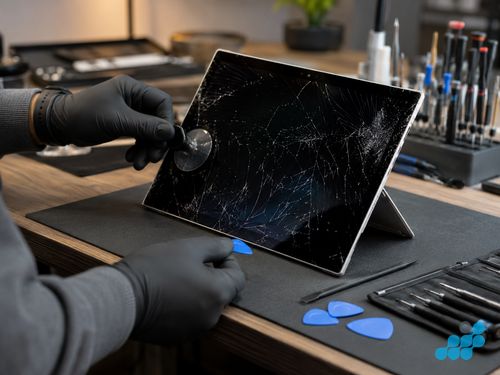
On a conventional laptop or tablet there is usually an air gap behind the glass, which lets a technician lift the glass and reach the panel, or swap the panel, in a predictable way. Surface does not give you that. The cover glass is bonded directly to the LCD or OLED panel with OCA — optically clear adhesive — forming a single fused assembly with no air gap at all. Behind that fused assembly is the glued-in battery, and behind that the magnesium chassis with no service hatch. So to replace a Surface screen you do not "pop off the glass"; you warm the bonded edge to soften the adhesive, work a thin plastic tool around the perimeter to release the whole fused display assembly, disconnect the display and touch ribbon cables, and lift it clear — then re-bond a new assembly and press it evenly to restore the seamless finish.
That separation is the specialist part. Apply heat too aggressively and the OCA softens unevenly or the panel delaminates; apply leverage instead of steady release and the glass cracks further or the panel shatters, turning a screen job into a screen-plus-battery job. This is why most high-street shops decline Surface screens — the risk and the bench time outstrip a standard panel swap, the bonded assembly is a single model-specific part, and one slip is expensive. We re-bond Surface displays week in, week out; the job being hard is exactly what sends owners to a specialist by post. See the hub for the full Surface repair cost guide and the wider repairability picture.
Cracked glass vs display/touch fault
Because the glass and panel are one bonded unit on Surface, the fault type matters less for the procedure than it does for the cost on other devices. Cracked glass with a perfect picture underneath, a blank or flickering display, dead touch, or a panel with light bleed all resolve to the same repair on Surface: the fused assembly is replaced as one. There is no "glass-only" shortcut on these bonded displays — attempting one risks shattering the panel and doubles the bill. The honest answer is that a single bonded-assembly replacement, done properly, is the correct and lowest-risk fix for any of those symptoms.
The one nuance worth checking before you commit is whether the symptom is the screen at all. A flickering or intermittent display on a Surface Book can be a worn display ribbon at the hinge rather than the panel, and a touch-dead Pro can occasionally be a connector seating issue. Our diagnostic reseats and rules out the simple causes before condemning the panel — so you only pay for a screen when a screen is genuinely the fault.
Genuine vs OEM-grade vs aftermarket panels
The fused assemblies we fit are OEM-grade — a bonded cover glass, digitiser and PixelSense panel built to the original resolution, colour calibration, brightness and touch response, and we name the exact part going in before we start. That choice bites hardest on the high-PPI Pro and Laptop Studio panels, where a cheap aftermarket assembly gives itself away as a duller, slightly uneven picture on a machine bought largely for its screen. At the budget Go end the panel economics are gentler, but the same OEM-grade bar holds. See our parts-grade guide for the honest tiers.
Surface screen cost by model
A few call-outs from the figures. The Surface Laptop Studio 2 tops the ladder at £309.95, reflecting the bonded high-resolution panel and the complex pull-forward hinge it is built around. The Surface Pro 10 at £299.95 and Pro 9 at £269.95 carry the current Pro panels. Mid-generation Pro 8 (£259.95) and Pro 7+ (£239.95) hold their value well and are very much worth repairing. The Surface Laptop Go (£139.95–£159.95) and Surface Go (£149.95–£179.95) sit at the affordable end, which makes a screen replacement on a budget device genuinely economical rather than a write-off.
Sending your Surface in for a screen repair
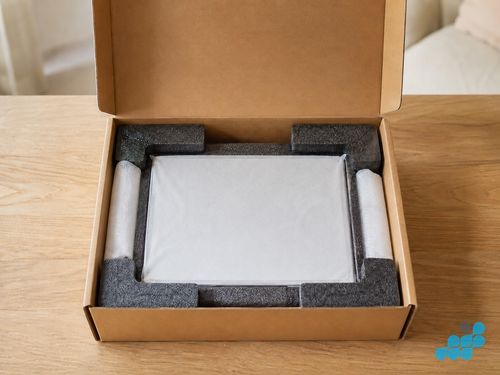
Posting a Surface with a cracked screen takes a little care so the bonded assembly does not shift or shed glass in transit. Our packing a cracked screen for post guide covers it line by line: keep the screen flat, tape over any loose glass fragments to hold them in place, cushion the device in rigid padding rather than loose bubble wrap, and choose a box that allows no movement. Book at /repair/tablet/microsoft, follow the completed-order instructions for inbound carriage, and we diagnose under the stated terms, confirm the exact figure, lift and re-bond the fused display, test touch and colour uniformity edge to edge, then return the device under the delivery terms shown for the order with the 27-month guarantee logged.
Is a Surface screen repair worth it?
On a premium Pro, Laptop or Studio, almost always — a new display lands well under the cost of a replacement machine, and 27 months of cover sits behind it. On a budget Go, a £149.95–£179.95 screen is still usually the sensible spend against what a new Go costs, though we will weigh it honestly against the device’s value if the unit is old. For the broader repair-vs-replace logic, see our is a screen replacement worth it? guide, and for Surface battery work alongside this, the Surface battery replacement spoke.
Frequently asked questions
How much does it cost to replace a Surface Pro screen?
From our live price list, a Surface Pro screen runs £199.95 on a Pro 5 (2017) up to £299.95 on a Pro 10 (2024); current-generation Pro 9 is £269.95. Every model’s price is in the table above, with diagnostics and the 27-month guarantee.
Why is a Surface screen so expensive to replace?
Because the glass is fused to the panel with OCA adhesive (no air gap) and the battery is glued behind it. The whole bonded assembly is replaced as one, and separating it takes controlled heat and real bench skill — which is why most shops decline Surface screens.
Can a cracked Surface screen be repaired, or does the whole screen need replacing?
The whole fused assembly is replaced as one. There is no glass-only shortcut on a bonded Surface display — attempting one risks shattering the panel. A single bonded-assembly replacement is the correct, lowest-risk fix.
Does the screen replacement include the touch/digitiser?
Yes. The touch digitiser is part of the bonded assembly, so a screen replacement restores both display and touch. We test touch, colour and uniformity before return.
Will my data be safe during a Surface screen repair?
Screen replacement normally avoids planned storage work, but no repair is risk-free for data and testing needs depend on the fault. Back up first wherever possible.
Do you use genuine Microsoft screens?
We fit OEM-grade fused assemblies built to the original PixelSense spec for resolution, colour, brightness and touch, and we confirm the exact part before any work begins. See our parts-grade guide.
Is it worth replacing the screen on an older Surface?
Usually yes on a Pro, Laptop or Studio — a display costs far less than a new machine and carries 27 months of cover. On an old budget Go we weigh it against the device’s value and tell you straight if replacement makes more sense.
How do I post a Surface with a cracked screen safely?
Keep the screen flat, tape over loose glass to hold it, cushion in rigid padding, and use a box that allows no movement. Our packing guide covers it step by step. Book at /repair/tablet/microsoft.