Microsoft Surface Battery & Type Cover Replacement Cost UK 2026
Direct answer: A Surface battery replacement is a specialist job — the cells are glued in behind the fused display, so the screen assembly comes off to reach them. From our live price list, a Surface battery runs £69.95–£159.95 and a charging port £39.95–£69.95. The battery carries the 27-month guarantee; the charging port carries 9 months. The Type Cover, by contrast, is an external accessory you replace yourself — it is not an internal celltech repair.
A Surface that will not hold charge, dies suddenly, or has a screen or trackpad lifting at one edge usually has a failing or swollen battery — and on Surface that is a much bigger job than it is on a laptop with a removable battery door. This spoke covers both the honest cost of a Surface battery replacement (from our live price list) and the question that catches a lot of owners out: the Type Cover keyboard. Read alongside the full Surface repair price guide and the Surface screen replacement spoke.
How much is a Surface battery replacement?
From our live price list, a Surface battery runs £69.95 (older Surface Go 2) up to £159.95 (Surface Laptop Studio 2). Across the families: Surface Pro £99.95–£149.95; Surface Laptop £84.95–£139.95; Surface Laptop Go £74.95–£84.95; Surface Go £69.95–£89.95; Surface Book £124.95–£144.95; and Surface Laptop Studio £139.95–£159.95. Diagnostics are free on standard repairs, and the battery replacement carries the 27-month guarantee. The charging-port tier (9 months) is shown alongside in the table below because a "won’t charge" symptom is as often the port as the battery.
Surface battery & charging-port prices (2026)
| Model | Battery | Charging port† | Diagnostics |
|---|---|---|---|
| Surface Laptop Studio 2 (2023) | £159.95 | £69.95 | Free on standard |
| Surface Pro 10 (2024) | £149.95 | £64.95 | Free on standard |
| Surface Book 3 15" | £144.95 | £59.95 | Free on standard |
| Surface Laptop Studio (2021) | £139.95 | £59.95 | Free on standard |
| Surface Laptop 6 (2024) | £139.95 | £59.95 | Free on standard |
| Surface Pro 9 (2022) | £134.95 | £54.95 | Free on standard |
| Surface Book 3 13.5" | £134.95 | £54.95 | Free on standard |
| Surface Pro 12 (2025) | £124.95 | £59.95 | Free on standard |
| Surface Laptop 5 (2022) | £124.95 | £44.95 | Free on standard |
| Surface Book 2 15" | £129.95 | £49.95 | Free on standard |
| Surface Book 2 13.5" | £124.95 | £44.95 | Free on standard |
| Surface Pro 8 (2021) | £129.95 | £49.95 | Free on standard |
| Surface Pro 11 (2024) | £119.95 | £59.95 | Free on standard |
| Surface Pro 7+ (2021) | £119.95 | £44.95 | Free on standard |
| Surface Laptop 8 (2025) | £114.95 | £59.95 | Free on standard |
| Surface Laptop 7 (2024) | £109.95 | £59.95 | Free on standard |
| Surface Laptop 4 (2021) | £114.95 | £39.95 | Free on standard |
| Surface Laptop 3 (2019) | £99.95 | £39.95 | Included on standard |
| Surface Pro 5 (2017) | £99.95 | £39.95 | Included on standard |
| Surface Pro 6 (2018) | £104.95 | £39.95 | Free on standard |
| Surface Laptop (2017) | £84.95 | £39.95 | Included on standard |
| Surface Laptop Go 3 (2023) | £84.95 | £39.95 | Free on standard |
| Surface Go 3 (2021) | £89.95 | £39.95 | Included on standard |
| Surface Go 5 (2025) / Go 4 (2023) / Go 2 (2020) | £84.95 / £74.95 / £84.95 | £39.95 / £39.95 / £39.95 | Included on standard |
| Surface Laptop Go 2 (2022) | £79.95 | £39.95 | Free on standard |
| Surface Laptop Go (2020) | £74.95 | £39.95 | Included on standard |
If your model is not listed, contact us for a quote. † 9-month guarantee on charging-port repairs (connector tier); the battery replacement carries the 27-month guarantee.
Why Surface batteries are a specialist job
On a Surface the battery is not behind a door. It is glued flat against the inside of the magnesium chassis, directly behind the fused display assembly, with no service hatch to reach it. So a battery replacement opens exactly as a screen replacement does — warming the bonded edge until the adhesive yields, then easing the glass-and-panel assembly off with a thin tool — before the cell is even in view. Once exposed, the glued pack has to be unseated with solvent and patient leverage without puncturing it, which matters doubly when it is already swollen; then the connector is unclipped, the fresh cell is seated, and the battery controller is reset so the machine reports its true capacity again.
This is the labour owners underestimate, and the reason most local shops turn Surface batteries away — the bench time and the puncture risk on a glued, possibly swollen cell are real. We do this work as a matter of routine, deal with swollen packs safely, and reseal the device properly on the way back together. The 27-month guarantee is our way of saying the job was done right. For the technical picture, the hub covers why Surface is so hard to repair in full.
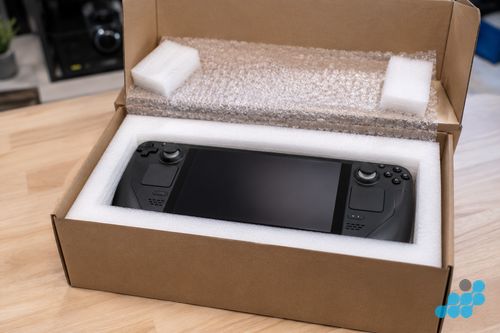
Signs your Surface needs a new battery
- Short runtime — the device dies far sooner than it did when new, or the percentage drops in sudden jumps.
- Won’t charge, or charges only intermittently — though this can also be the charging port (see below).
- Swelling — a screen or trackpad lifting at one edge, a bulge in the chassis, or the device no longer sitting flat. Treat as urgent.
- Sudden shutdowns at a reported 20–40% — a classic sign the cell can no longer deliver voltage under load.
Swollen Surface battery — what to do
A swollen battery is a safety matter, not just a capacity one. If your Surface’s screen or trackpad is lifting, or the chassis is bulging, stop using and stop charging it, keep it somewhere cool and fire-safe, and do not attempt to puncture or flex the swollen area — a punctured lithium cell is a fire risk. Bring it to a specialist. We unseat the swollen cell with the correct solvent and technique, dispose of it through the proper channel, and fit a new OEM-grade pack. When you post a visibly swollen Surface, let us know in advance so we can advise on safe packing.
Type Cover & keyboard: replacement, not repair
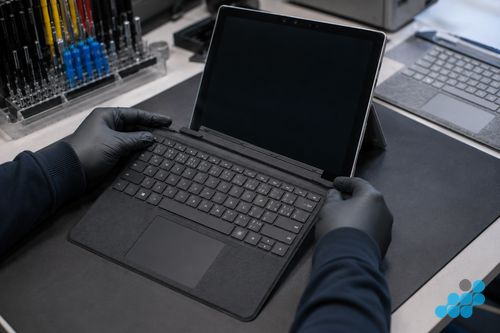
The Type Cover is the magnetic external keyboard that attaches to the bottom of a Surface Pro, Go or Book clipboard. It is an accessory, not part of the device — and that distinction matters. If the keys stop responding, the trackpad fails, or the connector becomes unreliable, the answer is to buy a replacement Type Cover, not to send the tablet in for a keyboard repair. We do not quote a Type Cover or keyboard repair price, because it is not an internal celltech Surface service. What we can do is help you confirm the fault genuinely lives in the cover rather than the tablet’s magnetic connector — sometimes a no-detect Type Cover is a dirty or damaged connector on the device, which is a different matter. See the common Surface faults guide for the Type Cover not-detected troubleshooting steps.
Battery problem or charging problem?
A Surface that "won’t charge" is ambiguous, and getting it right before you spend is the point of our diagnostic. A genuinely dead battery will usually still let the device run on the charger but die quickly off it; a worn Surface Connect or USB-C charging port may refuse to accept charge at all while the battery is still healthy. Quick checks you can do at home: try a different charger and cable (free to rule out), and inspect the port for lint or a bent pin. If the symptom persists, our diagnostic measures whether charge is reaching the board at all — the difference between a £74.95 battery and a £39.95 charging-port repair. See the hub’s charging-port column for the full figures.
Sending your Surface in for a battery replacement
Book at /repair/tablet/microsoft, then follow the completed-order instructions for inbound carriage. Our packing guide covers safe transit — doubly important for a swollen unit, which we will advise on case by case. We diagnose under the stated terms, confirm the exact figure, lift the fused display, fit the new cell (or the port, if that turns out to be the true fault), reset the battery controller, load-test, and return the device under the delivery terms shown for the order with the guarantee logged. The 27-month guarantee covers the battery work.
Is a Surface battery replacement worth it?
Almost always on a premium Pro, Laptop or Studio — a £124.95 cell hands a high-value machine its mobility back for a sliver of what a new one costs, with 27 months of cover behind it. On a budget Go a £74.95–£84.95 battery is still usually the right spend against the price of a new Go. The honest exception is an old unit where a battery plus a second fault edges toward the device’s value — we diagnose under the stated terms and lay that out before you commit.
Frequently asked questions
How much does a Surface battery replacement cost in the UK?
From our live price list: £69.95–£159.95 across the families — Surface Pro £99.95–£149.95, Surface Laptop £84.95–£139.95, Surface Go £69.95–£89.95. Diagnostics; 27-month guarantee on the battery.
Why is the Surface battery so hard to replace?
It is glued flat behind the fused display, with no service hatch. The fused glass-and-panel assembly has to lift off first — steady warmth, never force — then the glued cell is freed without puncturing it. That bench time and risk are why most shops decline Surface batteries.
My Surface battery is swelling — is it dangerous, and what should I do?
It is a safety matter. Stop using and charging the device, keep it cool and fire-safe, do not puncture or flex the bulge, and bring it to a specialist. Tell us before posting so we can advise on safe packing.
Can you replace just the Type Cover, or is that a repair?
The Type Cover is an external magnetic accessory — if it fails you replace it yourself with a new one. It is not an internal celltech repair, so we do not quote a keyboard repair price. We can help confirm whether the fault is the cover or the tablet’s connector.
Is my problem the battery or the charging port?
They can look identical. A dead battery usually lets the device run on the charger but die off it; a worn port may refuse charge while the battery is healthy. Our diagnostic measures whether charge reaches the board — the difference between a £74.95 battery and a £39.95 charging-port repair.
Will I lose my data during a battery replacement?
Battery replacement normally avoids planned storage work, but no repair is risk-free for data and testing needs depend on the fault. Back up first wherever possible.
Is it worth replacing the battery on an older Surface?
On a Pro, Laptop or Studio, almost always — 27 months of cover stands behind it. On an old budget Go we weigh it against the device’s value and give you the honest answer.
How long will a new Surface battery last?
A healthy OEM-grade cell typically delivers several years of normal use before capacity fades noticeably. The 27-month guarantee covers you well into that lifespan. See the guarantee guide for the terms.