How to Recover Photos from a Broken Phone (UK 2026)
Direct answer: Photos may be recoverable from a phone with a broken screen, failed battery or no-power fault, but the outcome depends on the storage, board condition and encryption. If the phone still powers on, you may be able to copy the photos yourself; otherwise, professional recovery may require board-level work. Check current service tiers, then review the confirmed diagnostic, recovery, third-party and return-delivery charges before work. Recovery itself is not guaranteed.
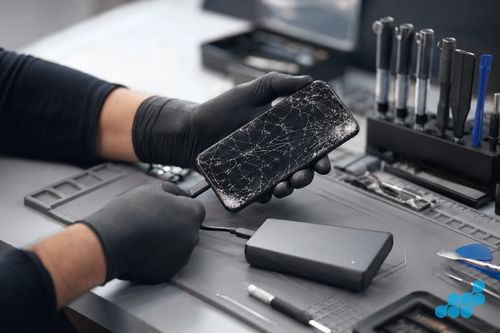
A smashed or dead phone is alarming precisely because the photos feel trapped inside it — the screen is cracked to the point of being unreadable, or the phone will not turn on at all, and the wedding, the baby, the holiday, the screenshots of something important all seem out of reach. A broken display does not by itself prove that storage has failed, but damage can affect multiple parts and recovery is never guaranteed. This guide walks through what you can try yourself first, and exactly when it becomes a professional job.
It is the photo-recovery spoke of our data recovery hub, sibling to our water-damaged phone recovery guide. For the broader picture see data recovery from a dead phone and our general phone recovery guide, and book through iPhone recovery or Samsung recovery.
If the screen is broken but the phone still powers on
If the phone still vibrates, rings, or shows signs of life but the screen is cracked black or the touch has died, you can often rescue the photos yourself without any repair at all. The phone works; you just cannot see or tap it. Try these in order:
- Plug it into a computer by USB. On Android (with USB file transfer enabled — tricky if you cannot tap the prompt, but some phones remember the last setting) the phone mounts as a drive and you can copy the DCIM folder. On iPhone this is less direct unless you previously trusted the computer.
- Use a USB OTG mouse. A cheap USB-C or Lightning OTG adaptor lets you plug a USB mouse into the phone. The cursor appears on screen even when touch does not, so you can navigate to back up the photos or enable file transfer.
- Cast or mirror to a TV. If you previously set up screen mirroring (Chromecast, AirPlay, Samsung Smart View), you may be able to mirror to a TV and operate the phone that way.
- An external dock / hub. Some phones support HDMI out through a USB-C dock, giving you a full screen and a mouse to operate it.
If any of these get you to the photos, copy them off immediately and back them up. If the screen is too far gone or the touch layer is completely dead and none of the above works, it becomes a professional job.
If the phone will not turn on at all
A phone that shows no sign of life is more daunting, but the principle is the same: the storage chip is probably fine. The phone is dead because its battery, charging circuit, power-management IC or board has failed — not because the photos are gone. The recovery path is to repair or bypass whatever is stopping the phone from booting, so we can reach the intact storage and read the photos off.
One important caveat: if the phone has been wet, do not try to charge it. Applying power to a wet or corroded board drives electrolysis through the components and can permanently destroy the circuitry between you and your data. Leave it off. For wet phones specifically, see our water-damaged phone recovery guide.
Check your cloud first
Before any of the above, it is worth checking whether the photos are already safely backed up in the cloud — many people do not realise their phone has been auto-uploading for months. Sign into iCloud (for iPhone) or Google Photos (for Android, and iPhones where it was installed) from any browser and look for the library. If the photos are there, the broken phone is no longer an emergency — they are safe. If the photos were not being backed up, the phone itself is the only copy, and that is when professional recovery comes in.
iPhone vs Android — what is possible
Modern iPhones and Android phones encrypt their storage. Recovery may require the device to boot and a valid device passcode or recovery key to decrypt the data. Any access requirement is explained after diagnosis and agreed securely. Celltech will not ask for an Apple Account, Google Account, banking or other account password. The available technique depends on the model, damage and security configuration.
One reassuring point worth stating plainly: the photos are almost always the easiest thing to recover from a damaged phone, not the hardest. They are large, contiguous files sitting in a predictable location on the storage chip (the DCIM directory), unlike fragmented message databases or encrypted app data. That means even when a recovery has to work hard to reach the chip — a heavy corrosion repair, a chip-off read — the photos themselves tend to come back intact and complete once we are in. The cases where photos are genuinely unrecoverable are rare, and they almost always involve the storage chip itself having been physically destroyed, which is uncommon in a screen or board failure. So if your phone is broken but the chip is intact, the odds of getting your photos back are strongly in your favour.
When it becomes a professional recovery job
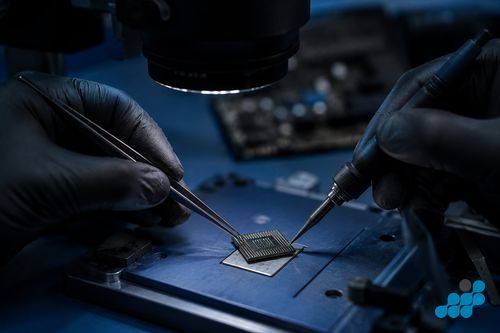
If the phone is truly dead, or the screen is unusable and none of the self-help routes reach the photos, it is a professional recovery. We follow the same stepped path as our other phone recovery: an ultrasonic board clean strips any corrosion, microsoldering repairs damaged components so the phone can boot, and in the hardest cases we desolder the storage chip for a chip-off read. See our chip-off recovery explainer for the detail. The data is the job — we do not need to make the phone a usable daily device, only to reach the photos.
What professional photo recovery costs
Our recovery tiers are published on the live data recovery page. The diagnostic terms, recovery scope, potential charges and exact quote are confirmed before work begins.
| Situation | DIY possible? | Professional cost if not |
|---|---|---|
| Screen broken, phone powers on | Often yes (USB / OTG mouse / cast) | £149–£299 if not |
| Phone will not turn on | No | £149–£399 |
| Dead board / chip-off needed | No | £299–£599+ |
Sending a broken phone in
Book online and follow the order-specific packing and shipping instructions. Customers arrange suitable tracked inbound postage with appropriate cover. We diagnose under the stated terms and confirm the quote before recovery work. Qualifying board-level repair work carries the stated 120-day guarantee; the recovery outcome itself is not guaranteed.
FAQs
Can I recover photos from a phone with a smashed screen?
Often yes, if the phone still powers on. Try a USB cable to a computer, a USB OTG mouse to operate the touch, or screen mirroring to a TV. If none of those reach the photos, it becomes a professional recovery.
How do I get photos off a phone that will not turn on?
A dead phone has usually lost its battery, charging circuit or board — not its photos. Professional recovery repairs or bypasses the failed part to reach the intact storage chip. Do not try to charge a wet phone.
Are my photos gone if I did not back them up?
Not necessarily. Check iCloud or Google Photos first — many phones auto-upload without you realising. If they were not backed up, the phone itself is the only copy, and the storage chip is usually recoverable.
Can you recover photos from an iPhone that is dead?
It may be possible by repairing the board sufficiently for the device to boot or by using another device-dependent recovery technique. The prospect cannot be confirmed until diagnosis. A device passcode or recovery key may be required for encrypted data; account passwords must not be shared.
Do I need my device passcode for photo recovery?
It depends on the device and security configuration. A valid device passcode or recovery key may be technically necessary. If it is, we explain why and agree a secure method after diagnosis. Do not send any account password.
How much does it cost to recover photos from a broken phone?
Check the live service tiers for current pricing. The diagnostic terms, likely recovery route and exact quote are confirmed before work begins.
What if the photos cannot be recovered?
Recovery is not guaranteed. Diagnostic, recovery, third-party and return-delivery charges, including any outcome-based terms, are confirmed before work begins.
How do I send my broken phone in?
Use a rigid padded box and follow the completed-order carriage instructions. Book through iPhone recovery or Samsung recovery.