Common Dell Laptop Problems & Fixes UK 2026: Won’t Turn On, Overheating & More
Direct answer: The most common Dell laptop faults at the celltech repair bench are: failing to power on (battery or power circuit), overheating from a dust-clogged heatsink duct or dried thermal paste, black screen from a damaged display cable or failed backlight, cracked hinges (a common wear point on consumer Inspiron models), and charging-port failure. Dell's ePSA / SupportAssist Pre-Boot diagnostic is a useful first step most articles never mention, and several of these faults have a safe home check before you send for repair.
Dell laptops are workhorses, but they have a recognisable set of failure patterns — and unlike a generic "laptop won't turn on" article, those patterns are Dell-specific. Hinge stress cracks are a common wear point we see on consumer Inspiron models and can lead to display-cable damage; Dell heatsink ducts clog with dust over time and cause overheating; and Dell's own BIOS diagnostic is a genuinely useful first step that most troubleshooting guides omit. This page walks through the faults we see most often at the bench, the safe DIY checks you can try first, and the clear point at which a professional repair is the right call. For per-model prices, see our Dell laptop repair cost hub.
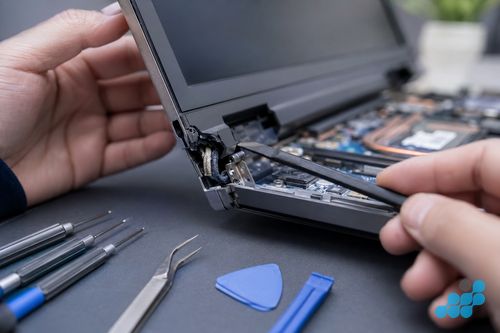
Dell laptop won't turn on
Likely causes
- A flat battery with a dead adapter or DC jack — nothing is reaching the board to draw on.
- A swollen battery — on an Inspiron or XPS that has aged, a bulging cell can lift the trackpad and break the power circuit outright.
- A board-level power fault — a charging IC or power rail has given out.
- A hung power state — the board needs draining, not repairing.
- A display fault in disguise — the machine is actually running, the screen is just black (see below).
Safe steps to try at home
Start with a known-good Dell charger and cable — a frayed lead or dead adapter costs nothing to rule out. Then drain the board: unplug the charger, lift the battery on models where it is removable, and hold the power button for a good 15 seconds to bleed off the stored charge before reconnecting and retrying. Finally, run Dell's ePSA / SupportAssist Pre-Boot diagnostic — hold Fn and press power, or tap F12 at boot and choose Diagnostics. The beep codes and on-screen error codes it returns are Dell-specific and genuinely useful for pinning down a failed component before you spend a penny.
When to send for repair
If a known-good charger and a hard reset make no difference and there is no charge light, the fault is likely the DC jack, the battery or the board's power circuit. We confirm which with a multimeter on the DC input before quoting — see our charging port & DC jack guide.
Dell laptop overheating and fan running loud
An overheating Dell is a cooling story, not a speed one. Two causes account for most of what we see: a heatsink duct packed with dust — common on Inspiron machines, whose intakes draw in carpet lint and hair until the channel is blocked — and thermal compound on the die that has aged hard and stopped passing heat into the cooler. The tell is a fan that never settles, a base that turns hot under the left palm, and the machine throttling or dropping dead the moment any real load arrives.
Short bursts of compressed air through the intake and exhaust will lift surface lint, but that is as far as they reach — a packed duct or set paste needs the heatsink off. The durable fix is a bench clean and a fresh thermal-paste application, which brings temperatures back into range before the constant heat wears the cell and tires the board. Thin XPS chassis choke up faster than the chunkier Inspiron, simply because there is so little spare airflow to lose. Dell's own ePSA thermal test flags a cooling fault specifically, which is why we run it before anything comes apart. We quote this work at transparent per-model rates.
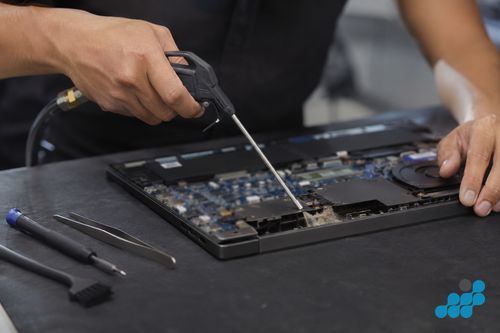
Dell laptop black screen (but power light on)
A black screen with the power light on is a different fault from a no-power machine — the laptop is running, you just cannot see it. First, shine a torch at the screen at an angle: if you can faintly see the desktop, the backlight has failed. Connect an external monitor: if that displays correctly, the panel or display cable is the culprit rather than the GPU. Then try the hard reset described above. If the external monitor works but the laptop screen does not, the fault is the panel, the display cable (sometimes chafed by a worn hinge), or the backlight — each a screen-level repair. See our Dell screen replacement guide.
Dell laptop hinge cracked or broken
Hinge stress is a familiar consumer-laptop fault, and Dell's Inspiron line gets its share. Years of opening and closing loosen the hinge block from the chassis, and the strain eventually splits the plastic or metal around the mount. The real hazard is not the hinge itself — it is the display cable that runs through the hinge barrel. Leave it, and the working crack saws at that cable until the picture flickers, loses signal or goes dark, dragging a screen repair in behind the hinge job.
Carrying on with a cracked Dell hinge is rarely wise — each cycle deepens the split and frays the cable a little further. A hinge repair re-anchors the block and takes the load off the cable, far cheaper than waiting for the screen to give out. Whether the work is hinge-only or hinge-plus-cable depends on how far the damage has spread, which we confirm at the diagnosis.
Dell laptop keyboard or touchpad not working
A keyboard that has stopped working — sticky keys after a spill, dead rows, wrong characters, or a failed backlight — usually needs a keyboard or palmrest-assembly replacement, though a clean can fix debris-caused stickiness. The Dell-specific question is whether your model has a standalone deck or a palmrest-integrated assembly, which changes the scope and price. See our Dell keyboard replacement guide for the full breakdown, and act quickly on a spill before corrosion spreads to the board.
Dell laptop not charging
A Dell that will not charge, or charges only when the cable is held at an angle, is usually a worn DC jack or USB-C port, or — on an older barrel-jack Inspiron — a torn board pad. Try a known-good charger first, then run the wiggle test: an angle-dependent charge means the socket is worn or its pads are torn. We confirm cable, port or board at the bench and quote accordingly, with board-level resoldering available when pads are torn so the motherboard does not need replacing. See our charging port & DC jack guide.
Dell laptop running slow
A Dell that has slowed to a crawl is rarely a single broken part — it is usually one of three things, and only one needs a repair. The first is thermal throttling from the clogged heatsink described above: the chip runs hot, the system dials back its speed to protect itself, and everything feels sluggish. The second is a failing storage drive, where the SSD or hard drive is developing bad sectors and read retries; this often shows up as freezes on boot and long pauses opening files, and it can be a data-loss risk worth catching early. The third is software bloat — background startup programs, a full drive, or an OS in need of a clean — which is a home fix, not a repair. Running Dell's ePSA diagnostic will flag a storage or thermal issue specifically; if it comes back clean, the slowdown is software.
All Dell laptop repair costs
When a home check has ruled out the simple causes and a professional repair is the right call, the per-model prices live in our Dell laptop repair cost hub, with focused pages for screen, battery, keyboard and charging port work. For a broader view on whether a repair makes sense, see our is-it-worth-repairing guide.
Frequently asked questions
Why does my Dell laptop keep overheating and shutting down?
Usually a heatsink duct clogged with dust or thermal compound that has hardened with age, so the fan runs flat out and the machine throttles or cuts out under load. Compressed air shifts surface lint; a proper heatsink clean and repaste is what actually lasts, and Dell's ePSA test confirms a thermal fault first.
How do I fix a Dell laptop that won't turn on?
Start with a known-good charger, then a hard reset (battery out if removable, power held 15 seconds), then Dell's ePSA / SupportAssist Pre-Boot diagnostic via Fn+Power or F12 at boot. If none of that wakes it and no charge light shows, the fault is most likely the DC jack, the battery or the power circuit.
Why is my Dell Inspiron hinge cracking at the corners?
Years of use ease the hinge block away from the chassis, and the repeated strain fractures the plastic or metal around the mount. It is a well-known wear point on consumer laptops, the Inspiron included.
Is it safe to keep using a Dell laptop with a cracked hinge?
Generally not. Each open and close widens the split and saws at the display cable in the hinge barrel, which can turn a hinge fix into a screen one. Re-anchoring the hinge early is the cheaper road.
How much does it cost to fix common Dell laptop problems?
It depends on the fault and the line. Per-model prices for screen, battery, keyboard and charging-port work are in our Dell laptop repair cost hub; diagnostics are free on standard repairs.
Should I repair my Dell laptop or buy a new one?
Almost always repair — a battery, screen or hinge hands back a working machine for a fraction of a replacement, under the tiered guarantee. The exception is a board-level fault creeping up toward the laptop's own value, which we diagnose under the stated terms and weigh with you honestly first.