Dell Laptop Screen Replacement Cost UK 2026: Inspiron, XPS & Latitude Prices
Direct answer: Dell laptop screen replacement costs depend on your model and panel type. A standard Inspiron IPS screen runs from £89.95 on an older 15 up to £159.95 on an Inspiron 16 Plus, an XPS InfinityEdge screen from £129.95 to £229.95, and a Latitude from £104.95 to £199.95. Every price in the table below is published up front from our live price list — no quote form. Touchscreen and XPS InfinityEdge OLED models carry a higher cost because the digitiser layer and the bonded bezel-less panel are dearer parts. Standard covered repairs come with a 27-month guarantee.
A cracked or dead Dell display is the single most common reason an owner goes looking for a repair price, and the cost swings wider on a Dell than almost any other brand — the range runs from a £89.95 IPS panel on an older Inspiron 15 to a £229.95 InfinityEdge OLED on a current XPS 16, with the bezel-less bonded panel, the touchscreen digitiser and the panel size all pushing the figure up the line. Generic laptop screen guides, our own laptop screen replacement cost page included, do not break that down by Dell line, so below it is broken out properly: Inspiron, XPS and Latitude, each with its panel type and exact fitted price, so the number for your machine is settled before you book. For the full Dell picture, see our Dell laptop repair cost hub.
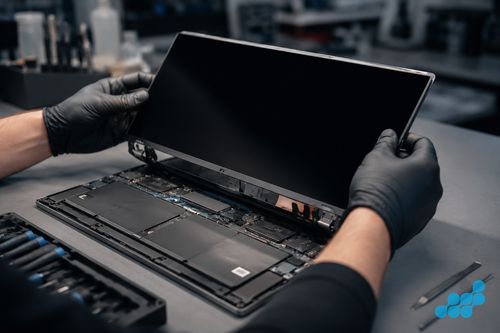
Dell laptop screen replacement prices
Prices are fitted by post, including parts, labour; return delivery follows the order terms, and each carries a 27-month guarantee. Where your exact model is not listed, contact us for a quote — we cover the full Inspiron, XPS, Latitude, Vostro, Precision and G-series ranges, so the table is a representative slice, not the ceiling.
Inspiron — standard IPS panels
| Model | Panel type | Screen price |
|---|---|---|
| Inspiron 16 Plus 7640 (2025) | IPS, 16" | £159.95 |
| Inspiron 14 Plus 7440 (2025) | IPS, 14" | £149.95 |
| Inspiron 16 7620 2-in-1 (2023) | IPS touchscreen | £139.95 |
| Inspiron 15 3530 (2024) | IPS, 15" | £129.95 |
| Inspiron 14 5430 (2023) | IPS, 14" | £129.95 |
| Inspiron 15 5000 (2020) | IPS, 15" | £114.95 |
| Inspiron 15 5570 (2018) | IPS, 15" | £99.95 |
| Inspiron 15 3576 (2018) | IPS, 15" | £89.95 |
XPS — InfinityEdge (IPS and OLED)
| Model | Panel type | Screen price |
|---|---|---|
| XPS 16 9640 (2025) | InfinityEdge OLED, touch | £229.95 |
| XPS 14 9440 (2025) | InfinityEdge OLED, touch | £219.95 |
| XPS 13 9350 (2025) | InfinityEdge, touch | £209.95 |
| XPS 15 9530 (2023) | InfinityEdge OLED, touch | £199.95 |
| XPS 15 9520 (2022) | InfinityEdge, 15" | £189.95 |
| XPS 15 9500 (2020) | InfinityEdge, 15" | £169.95 |
| XPS 13 9300 (2020) | InfinityEdge, 13" | £159.95 |
| XPS 13 9360 (2017) | InfinityEdge, 13" | £129.95 |
Latitude — business IPS
| Model | Panel type | Screen price |
|---|---|---|
| Latitude 9460 (2025) | IPS, business | £199.95 |
| Latitude 7460 (2025) | IPS, business | £189.95 |
| Latitude 7440 (2023) | IPS, business | £169.95 |
| Latitude 5460 (2025) | IPS, business | £169.95 |
| Latitude 5400 (2019) | IPS, business | £124.95 |
| Latitude 5480 (2017) | IPS, business | £104.95 |
What affects the cost of a Dell screen repair
Panel type: TN vs IPS vs InfinityEdge OLED
The panel is the single biggest swing on a screen repair. A standard Inspiron uses an IPS panel — good colour, sensible cost, plentiful supply. The XPS InfinityEdge line adds an edge-to-edge, bezel-less design with an OLED option on the 14, 15 and 16: the OLED panel is a far costlier part and the bonded assembly is harder to separate. Latitude uses robust business-grade IPS panels, priced between the two. Older Inspirons occasionally used TN panels, which are the lowest-priced of all to source.
Resolution and touch layer
A touchscreen digitiser adds cost on the Inspiron 2-in-1 and the XPS 2-in-1 / touch variants, because the digitiser layer is bonded to the panel and both are replaced together — you cannot replace just the cracked glass on a bonded touch assembly. Higher resolutions (QHD+, 4K) also push the part cost up over a standard FHD panel.
Inspiron vs XPS vs Latitude build
The XPS InfinityEdge chassis uses adhesive bonding rather than a screw-fastened bezel, so freeing the panel means softening that bead of glue and lifting the glass clear by hand — slower bench work, and part of the premium. The Latitude business chassis is more densely screwed and shielded, which adds steps on the way back together. The Inspiron clamshell is the easy case: cover or bezel off, panel unplugged, fresh panel in, hinges returned to their original tension. One practical knock-on: on many Inspirons we can drop a bare replacement panel into the existing lid, whereas a bonded XPS often makes the whole display assembly the sensible unit to swap.
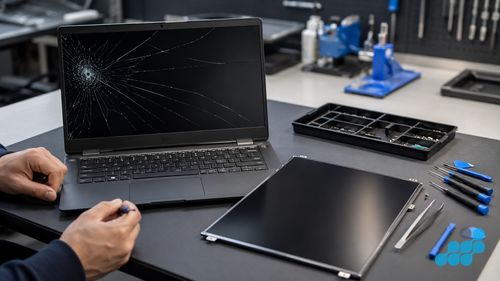
Signs your Dell laptop screen needs replacing
- Cracked or shattered glass — physical damage, often from a closed-lid drop or a knock to the lid.
- Dead pixels or a permanent discoloured patch — a localised panel failure.
- Backlight bleed or a dim half-screen — backlight failure, often progressive.
- Flickering or horizontal lines — can be the panel or the display cable; we reseat the cable before condemning the panel.
- Completely blank screen but power light on — test on an external monitor first; if that works, the panel or cable is the likely culprit rather than the GPU.
What a Dell screen replacement actually involves
On an Inspiron clamshell the process is the straightforward end of laptop repair. The bezel or bottom cover is removed, the display assembly is unplugged from the motherboard, and the webcam and touch cables are detached. The faulty IPS panel is lifted out, the replacement dropped in, the hinges re-set to their factory torque, and the whole unit function-tested — display, touch (where present), webcam and backlight uniformity. A Latitude clamshell is the same job with a few more reassembly steps because the business chassis is more densely screwed.
An XPS is the involved end. The InfinityEdge glass is held by a continuous bead of adhesive, so it has to be released with gentle, even warmth and a nylon spudger walked around the perimeter — the OLED versions are edge-lit and unforgiving, and a single point of pressure puts a crack clean across the panel. Once the new panel is seated and the digitiser and webcam cables re-routed, fresh adhesive is laid down and the assembly pressed evenly to restore the seamless bezel. The result is tested corner to corner for touch tracking and for backlight uniformity, because a poorly seated InfinityEdge panel shows light bleed at the edges. The extra labour and the dearer panel are why an XPS screen sits well above an Inspiron one.
OEM-grade vs aftermarket Dell screens
The display we fit is OEM-grade, matched to the factory part for colour accuracy, brightness and resolution, and named to you before any adhesive is touched. Cut-price panels save money on paper and hand it straight back in quality — flatter colour, uneven backlighting, a white point that drifts off neutral. On an XPS InfinityEdge OLED that compromise is glaring, the substitute looking grey and lifeless beside the original; on a Latitude carrying design proofs or client decks, accurate colour is no less of a need. See our parts-grade guide for the detail.
Dell screen repair by post
celltech is a UK-wide mail-in specialist, so you do not need to be in the Midlands. Book at /repair/laptop/dell, pack your Dell securely and send it using suitable tracked postage arranged from the order instructions, with compensation cover appropriate for the device — a slim XPS needs extra padding around the InfinityEdge corners, a Latitude or Inspiron 15 a rigid double box with corner foam — and we diagnose under the stated terms, confirm the exact price, fit the OEM-grade panel, test, and return it under the delivery terms shown for the order with your 27-month guarantee logged. See our Dell repair by post guide.
Post the laptop in a rigid box with corner foam; avoid the branded Dell box.
Is Dell laptop screen repair worth it?
Almost always. An Inspiron screen from £89.95 returns a perfectly good machine for a fraction of a replacement, and an XPS — being a premium, four-figure machine — is worth repairing even at the top of the range, because a £229.95 screen is still far cheaper than a new XPS 16 and keeps the InfinityEdge OLED grade and machined chassis intact. The honest exception is a very old, low-value Inspiron where the screen approaches the machine's worth, which we weigh against the beyond-economical-repair threshold. And the 27-month guarantee — well over twice the year most high-street shops put their name to — tilts the maths further toward repair.
All Dell laptop repairs
For the full per-model price tables across Inspiron, XPS, Latitude and more, see our Dell laptop repair cost hub, and the focused XPS repair cost page. For broader context, see how laptop screen repair works.
Frequently asked questions
How much does it cost to replace a Dell Inspiron laptop screen?
From £89.95 on an older Inspiron 15 up to £159.95 on an Inspiron 16 Plus, with the common current Inspiron 15 3530 (2024) at £129.95. Every model's price is in the table above, and each carries a 27-month guarantee.
Can you replace just the glass on a Dell laptop screen, or does the whole panel go?
On a bonded touch assembly — the XPS 2-in-1 and touch variants, and Inspiron 2-in-1 models — the digitiser is bonded to the panel, so both are replaced together; you cannot swap the glass alone. On a non-touch panel the whole display assembly is the unit.
Why does Dell XPS screen replacement cost more than Inspiron?
The XPS InfinityEdge uses a bonded, bezel-less panel with an OLED option — a costlier part that has to be warmed and eased out of an ultra-slim chassis rather than simply unscrewed. The Inspiron IPS panel is a cheaper part in a screw-fastened, serviceable build.
Does celltech repair Dell laptop screens by post?
Yes. Book online, pack your Dell securely and send it using suitable tracked postage arranged from the order instructions, with compensation cover appropriate for the device, and we diagnose under the stated terms, fit an OEM-grade panel, test, and return it under the delivery terms shown for the order with a 27-month guarantee.
Will a replacement screen look as good as the original Dell InfinityEdge?
With an OEM-grade panel matched to the original specification, yes — colour accuracy, brightness and resolution are preserved. A cheap aftermarket substitute is where the difference shows, which is why we do not fit them.
Is it cheaper to buy a new Dell laptop or repair the screen?
Almost always repair. An Inspiron screen from £89.95 or an XPS screen up to £229.95 is a fraction of a new machine, and screen work normally reuses the original chassis and keyboard. No repair is risk-free, so back up accessible storage first; the screen work carries the 27-month guarantee.