Dell Laptop Repair by Post UK 2026: How to Send Your Inspiron or XPS to celltech
Direct answer: Yes — celltech takes in Dell laptops by post from every corner of the UK, across Inspiron, XPS, Latitude, Vostro and Precision. Reserve the repair online, pack the machine in a rigid box with padded corners, and ship it tracked and insured on Royal Mail Special Delivery. We diagnose at no charge, agree the precise price before starting, fit an OEM-grade part, test it, and send it home insured. Standard screens, batteries and keyboards hold a 27-month guarantee; charging ports and DC jacks fall under a 9-month connector tier; board-level repairs are covered for 120 days. None of your data is disturbed by a hardware repair.
There is no specialist Dell bench within an easy drive for most of the country, and a Latitude that earns its keep cannot sit at a high-street counter for a week. Mail-in closes that gap: the same Solihull workshop, the same OEM-grade parts and the same tiered guarantee, with no drop-off and no need to be local. How posting a Dell actually works — packing a chunky Inspiron 15 differently from a slim XPS 13, what happens to your data, the one caveat around a swollen battery — is laid out plainly below. For per-model prices, start at our Dell laptop repair cost hub.
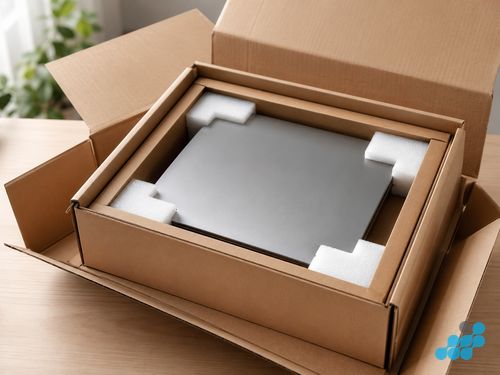
How Dell laptop repair by post works
- 1. Request the repair. Head to /repair/laptop/dell, give us the model and the symptom, and we will say up front whether it is a standard fix or board-level work.
- 2. Pack with care. Use the packing notes below — a deep Inspiron 15 and a bezel-less XPS need protecting in different places.
- 3. Ship it tracked and insured. Royal Mail Special Delivery carries it next working day with compensation cover you set to the machine's value.
- 4. Free diagnosis and a firm price. We bench the laptop, establish the true fault, and quote the exact figure straight from our live list rather than a ballpark.
- 5. The fix. The OEM-grade part is fitted and the machine is tested under load.
- 6. Tracked, insured return. Your Dell comes home on the same service, the guarantee recorded against the repair.
There is no diagnostic charge on standard work — screens, batteries, keyboards and charging ports. Only board-level investigation carries the £24.95 fee, and even that is credited back against the repair once you give the go-ahead.
Dell repair types and starting costs
We do not make prices up for postal jobs. Every figure here is the lowest Inspiron entry on our live list for that repair, and your own model's price is fixed at diagnosis — the full per-model tables are in the cost spokes.
| Repair type | Inspiron from | Guarantee | Full price guide |
|---|---|---|---|
| Screen replacement | £89.95 | 27 months | Screen costs |
| Battery replacement | £49.95 | 27 months | Battery costs |
| Keyboard replacement | £59.95 | 27 months | Keyboard costs |
| Charging port / DC jack | £29.95 | 9 months | Charging port costs |
| Board-level / liquid | quoted after free check | 120 days | Confirmed at diagnosis |
Your data during a Dell laptop repair
Most people posting a laptop want this answered before anything else, so here it is plainly. A screen, battery, keyboard or charging-port repair does not involve your storage in any way — the work is on the panel, the cell, the keyboard deck or the port, none of which is wired to your drive. Your files and accounts sit exactly as you left them. We neither read nor copy a thing, because there is no reason to.
For board-level faults, celltech mends the board you sent rather than fitting a blank replacement, so everything stays on its original storage — unlike a Dell depot board-swap, which can return the machine on a clean install. We still recommend a back-up before any laptop leaves your hands, wherever it is going. There is more in our back-up guide and data-during-repair guide.
How to pack a Dell laptop for posting
Far more posted laptops are damaged by their own retail box than by the courier — it was made to ship the machine a single time inside a larger carton, and stands up to nothing on its own. Reach instead for a rigid, double-walled box and wrap the laptop so it is held firm and cannot travel. After that, the line you own dictates where the protection goes.
Inspiron 15 (3000 / 5000 / 7000)
The Inspiron 15 is Dell's big consumer body — sizeable and fairly heavy — so rigid corner foam guarding the hinge is the priority, since that is exactly where transit knocks land. Drape a foam or bubble sheet over the closed lid, fill every gap so the machine sits still, and keep direct pressure off the screen.
XPS 13 / 15 (slim, InfinityEdge)
The XPS is slim and almost bezel-less, and that gorgeous InfinityEdge panel is the part that pays for carelessness. Because the glass is bonded edge to edge, one corner knock can craze the whole display, so latch the lid shut, build foam around all four corners and along the InfinityEdge sides, and let nothing press on the OLED or IPS surface. An XPS rides safest in a snug foam sleeve inside a rigid box.
Latitude (business-grade)
The Latitude business chassis is the sturdiest Dell makes, so a standard double box with foam lining is usually enough — but pack it as carefully as the rest, because on a work machine the value is the data, not the shell. Take out any dongles, USB drives or SIM trays before sealing.
For the device-agnostic basics, see our packing guide, and the laptop repair by post guide for the end-to-end picture.

A note on swollen batteries
If your Dell's underside is bulging or the trackpad has begun to rise, the lithium cell has swollen — a real fire and puncture risk that changes how the machine should be posted. Do not clamp the lid shut, do not attempt to prise the cell out, and get in touch with celltech before posting so we can advise on safe packaging for your exact machine. A swollen pack is easily pierced by routine transit knocks, which is why we handle these one at a time rather than with a single rule. Once it lands with us, safely removing a swollen cell is everyday bench work — see the battery replacement page.
Dell repairs we handle by post
- Screen replacement across Inspiron, XPS and Latitude — standard IPS through to bonded InfinityEdge OLED, touch and non-touch.
- Battery replacement — glued-in and swollen-cell packs included.
- Keyboard replacement — standalone deck or full palmrest, scoped and quoted up front.
- Charging port & DC jack — USB-C micro-soldering on the newer machines and barrel-jack work on the older ones, torn pads resoldered.
- Logic-board / liquid damage — component-level micro-soldering that, on most Dells, keeps your data intact.
Business and fleet Dell repairs by post
Latitude, Vostro and Precision owners account for a real slice of our postal workload, and the model fits them neatly — a business user can seldom surrender a machine to a shop counter, but posting one tracked and insured costs no desk time. We take single laptops and small fleets the same way, prices published per model up front, and board-level microsoldering that on most Dell business machines preserves the data on the existing drive rather than wiping it in a swap. For an out-of-warranty business Dell that usually beats the manufacturer depot on value; if the machine is still inside a live ProSupport contract, weigh using Dell's own service for a covered repair first. With a fleet we can stagger the bookings so the team is never short of more than one machine at a time, and every laptop comes back with its own guarantee logged against its service tag rather than pooled across the batch.
How long does a Dell mail-in repair take?
The timeline is set at booking, once we know the model and the fault, and we keep you updated at diagnosis, on completion and at dispatch. We will not hand out a fixed day-count, because the truthful answer rests on parts supply for your particular Dell and on whether the work is a simple swap or board-level — and a promise we cannot honour helps no one. What we will commit to is a price agreed before any work begins and a tracked, insured return all the way to your address.
Dell laptop repair costs
The complete per-model tables — Inspiron, XPS, Latitude and the rest — live on the Dell laptop repair cost hub. Still narrowing down the fault before you post? The common Dell faults guide will help.
Frequently asked questions
Can I send a Dell Inspiron laptop by post for repair?
Absolutely. Reserve the slot at /repair/laptop/dell, pack the Inspiron into a rigid double-walled box with foam at the hinge corners, then send it tracked and insured by Royal Mail Special Delivery — we diagnose at no cost and return it on the same insured service.
How should I pack a Dell laptop for posting?
Choose a rigid, double-walled box over the retail one, lay foam across the closed lid, pack out the voids, and reinforce the hinge and corners — with extra care around the InfinityEdge screen on a slim XPS. The packing section above covers each line.
Is it safe to post a Dell laptop with a swollen battery?
A swollen pack is a fire and puncture risk. Do not clamp the lid shut or try to remove the cell yourself — contact celltech first and we will advise on safe packaging for your model before you post.
How long does Dell laptop mail-in repair take?
We confirm the timeline at booking, once the model and fault are known. There is no fixed day-count, because it depends on parts for your specific Dell and on whether the job is standard or board-level — but the price is agreed up front and the return is tracked and insured.
What happens to my data when I send my Dell laptop for repair?
Screen, battery, keyboard and charging-port repairs never touch your storage. For board-level work we repair the board you sent, so your data stays in place. We still suggest a back-up before posting, as a sensible habit.
Does celltech cover return postage for Dell laptop repairs?
Yes — on standard repairs the tracked, insured return is part of the published price. Your Dell travels home on the same insured service it came in on.
Can you handle Dell business laptops (Latitude/Vostro) by post?
Yes — Latitude, Vostro and Precision laptops are all repaired by post, board-level work included, with data preserved. For machines out of warranty, celltech is usually the better-value route over the depot.