Dell XPS Repair Cost UK 2026: Screen, Battery & Keyboard Prices
Direct answer: Dell XPS repair costs are higher than Inspiron costs, reflecting the InfinityEdge display technology, the OLED panel option and the ultra-slim chassis. An XPS screen runs from £129.95 on an XPS 13 9360 up to £229.95 on a current XPS 16, a battery from £64.95 to £129.95, and a keyboard from £94.95 to £159.95. Current XPS models (13, 14, 15, 16, 17) charge over USB-C — they have no barrel-jack DC socket. All prices below are from our live price list. The XPS is a premium device and repair is almost always more economical than replacement.
An XPS repair quote lands differently from an Inspiron one, and XPS owners know it — the InfinityEdge OLED is the dearest panel Dell fits, the chassis is too slim for a barrel-jack so everything charges over USB-C, and a generic "laptop screen" figure tells you nothing useful about either. What owners actually want is an XPS-specific number that reflects the bezel-less construction and the OLED premium. The per-generation figures from our live price list are below — the 13, 14, 15, 16 and 17 lines priced individually — with the reason an XPS costs more than an Inspiron and the USB-C charging that defines the modern machine explained honestly. For the wider Dell picture, see our Dell laptop repair cost hub.
Dell XPS screen replacement prices
The InfinityEdge display is where most XPS searches — and most of the cost — begin. Each price below is fitted by post and takes in the OEM-grade panel, the labour; return delivery follows the order terms, under the 27-month cover. The OLED options on the 14, 15 and 16 sit above the IPS InfinityEdge panels, which the table reflects model by model.
| Model | Panel type | Screen price |
|---|---|---|
| XPS 16 9640 (2025) | InfinityEdge OLED, touch | £229.95 |
| XPS 14 9440 (2025) | InfinityEdge OLED, touch | £219.95 |
| XPS 13 9350 (2025) | InfinityEdge, touch | £209.95 |
| XPS 17 9730 (2023) | InfinityEdge, 17" | £199.95 |
| XPS 15 9530 (2023) | InfinityEdge OLED, touch | £199.95 |
| XPS 15 9520 (2022) | InfinityEdge, 15" | £189.95 |
| XPS 15 9500 (2020) | InfinityEdge, 15" | £169.95 |
| XPS 13 9300 (2020) | InfinityEdge, 13" | £159.95 |
| XPS 13 9360 (2017) | InfinityEdge, 13" | £129.95 |
Why XPS screen repair costs more than Inspiron
- The InfinityEdge bond. A near-bezel-less panel is glued, not screwed behind a frame, so it has to be parted from its adhesive on measured heat — more bench time and a steadier hand than an Inspiron's framed display.
- The OLED tier. On the XPS 14, 15 and 16 the OLED panel is a far dearer component than any IPS Inspiron screen, and being edge-lit and thin it tolerates no rough handling.
- The machined unibody. The XPS is carved from aluminium, so reaching the display stack runs through more disassembly steps, and the touch-digitiser cabling has to be routed back for the panel to sit perfectly flush.
Dell XPS battery replacement prices
An XPS battery is a bonded internal cell, so it means opening the base in full: the aluminium underside is eased away on gentle heat and a spudger, and the pack is freed without piercing it — a point that turns critical the moment a cell has started to swell. Every battery is covered for 27 months.
| Model | Battery price |
|---|---|
| XPS 16 9640 (2025) | £129.95 |
| XPS 14 9440 (2025) | £119.95 |
| XPS 13 9350 (2025) | £119.95 |
| XPS 15 9530 (2023) | £109.95 |
| XPS 15 9500 (2020) | £79.95 |
| XPS 13 9360 (2017) | £64.95 |
Dell XPS keyboard replacement prices
On an XPS the keyboard is backlit and built into the palmrest top-case, so replacing it is a top-case assembly swap rather than lifting out a loose deck. The whole unit comes apart — base off, every internal connector released, the new assembly fitted and each connector re-secured — before the shell is closed again. Covered, like the rest, for 27 months.
| Model | Keyboard price |
|---|---|
| XPS 16 9640 (2025) | £159.95 |
| XPS 14 9440 (2025) | £149.95 |
| XPS 13 9350 (2025) | £149.95 |
| XPS 15 9530 (2023) | £139.95 |
| XPS 15 9500 (2020) | £109.95 |
| XPS 13 9360 (2017) | £94.95 |
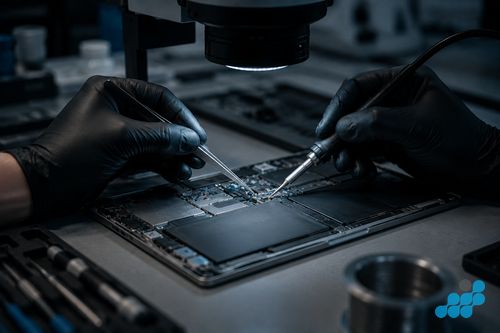
Dell XPS charging port repair
Every current XPS — 13, 14, 15, 16 and 17 — charges over USB-C, with no barrel-jack DC socket anywhere in the line. That makes a charge fault a piece of board-mounted USB-C micro-soldering on the 9-month connector tier, not the clip-in DC-jack swap an older Inspiron would take. If the port is worn, flickering or has torn its pads, we examine the connector under magnification, decide whether it needs a fresh port or board-level resoldering, and price it accordingly — board-level USB-C work carrying the 120-day tier. Our charging port & DC jack guide has the detail.
Is repairing a Dell XPS worth it?
Almost always — an XPS is a premium, four-figure machine, so even its dearest single job, a £229.95 screen on the current XPS 16, is a fraction of a new one and retains the premium chassis rather than replacing the computer. Even a four- or five-year-old XPS 15 holds real value after a repair, which rarely holds for a budget machine. Back up soldered-in storage before service because no repair is risk-free. The 27-month cover on standard screen, battery and keyboard work — comfortably beyond the single year most high-street shops underwrite — tightens the case, with USB-C connector repairs on the 9-month tier and board-level work on 120 days. For the wider decision, see our is-it-worth-repairing guide.
What an XPS repair actually involves
Every XPS that arrives is bench-checked before a price is set, because the InfinityEdge build does not reward guesswork. A screen swap here is the demanding end of display work: the machined underside lifts on controlled heat, the bonded panel is coaxed off its adhesive with a plastic edge tool — force is what shatters edge-lit OLED glass — the digitiser and display leads come free, the OEM-grade panel goes in, fresh adhesive is laid, and the assembly is pressed down evenly so the seamless edge returns true. A panel seated even slightly proud shows light bleed along the border, so the press and the corner-to-corner test earn their place alongside the part itself.
A battery job is a full base strip. The bonded cell is worked loose without a puncture — doubly careful on a swollen pack — then the connector is released, the spent cell lifted from its adhesive bed, the OEM-grade replacement seated and secured, and the charge controller reset so the machine reads its true capacity and runtime once more. A keyboard job is the palmrest top-case swap described above, and the USB-C charge port, being soldered to the board, is connector-tier micro-soldering rather than a socket you can simply unplug.
When the fault is board-level — an XPS that will not power on, a failed charging IC, liquid ingress — celltech works at component level, diagnosing and microsoldering the fault rather than reaching for the whole-board swap a depot defaults to. We put the board under magnification, trace the dead rail or component, reflow or replace only that part, and load-test before anything is reassembled. On an XPS this is usually far less than a new board, and because the storage is soldered to that board, the component-level route saves the data a board swap would wipe. Board-level and liquid work carries the 120-day tier.
Repair the XPS or replace it?
The honest answer is repair, and the XPS makes the maths unusually clean. It is a four-figure machine built around a premium InfinityEdge display and a CNC-machined aluminium body, so even the steepest single repair — that £229.95 XPS 16 screen — recovers all of that for a fraction of replacement, panel grade, chassis and soldered storage intact. A four- or five-year-old XPS 15 still commands meaningful value once mended, where a same-age budget laptop would not. Set against the 27-month cover — well over the single year most shops promise — the spend is easy to justify, with USB-C connector work on the 9-month tier and board-level repairs on 120 days. The lone exception remains a board-level fault nearing the laptop's own value, which we diagnose under the stated terms and weigh against a replacement before you commit a penny.
It is worth setting an XPS repair here against Dell's own route. Out of warranty, Dell typically means sending the machine to a depot for a quote you cannot see until they have it, a board fault answered by replacing the entire logic board — which takes the soldered storage, and your data, with it — and a turnaround built from courier time plus the queue. celltech names the price first, mends the component where that is the right call, and stands behind the work with tiered cover. If the laptop is still inside an active ProSupport or warranty term, use Dell for a covered repair; for everything past that, the comparison runs firmly celltech's way.
Also own an Inspiron?
If you have taken an Inspiron for an XPS, or keep one alongside it, expect markedly lower figures — the Dell laptop repair cost hub and the Dell screen replacement page carry the Inspiron and Latitude prices.
All Dell laptop repairs
For the full per-model tables across Inspiron, XPS, Latitude and the rest, see the Dell laptop repair cost hub, and the focused Dell repair by post guide.
Frequently asked questions
How much does Dell XPS 15 screen replacement cost in the UK?
From £169.95 on the XPS 15 9500 (2020) to £199.95 on the XPS 15 9530 (2023) with its InfinityEdge OLED touch panel — each held under the 27-month cover.
Is Dell XPS OLED screen replacement worth the cost?
Yes — against a four-figure laptop, an OLED screen up to £229.95 is far less than replacing it, and the repair keeps the original InfinityEdge grade and the machined body. Bargain substitutes look washed-out beside a genuine OLED, which is why we fit OEM-grade panels.
Does the Dell XPS have a DC jack or USB-C charging?
The current XPS line — 13, 14, 15, 16, 17 — charges over USB-C alone; there is no barrel-jack socket. A charge fault is therefore board-mounted USB-C micro-soldering on the 9-month connector tier rather than a clip-in swap.
Can celltech repair a Dell XPS laptop by post?
Yes. Book online, cushion the slim XPS well around the InfinityEdge panel, send it using suitable tracked postage arranged from the order instructions and select compensation cover appropriate for the device, and we diagnose under the stated terms, fit an OEM-grade part, test it and return it under the tiered cover.
What is the most common Dell XPS fault?
Worn bonded-cell batteries and InfinityEdge panels knocked through a closed lid are the two we see most, with USB-C port wear behind them. See our common Dell faults guide.
How is Dell XPS repair different from Inspiron repair?
The XPS pairs a bonded InfinityEdge panel — often OLED — with a machined body, a backlit palmrest keyboard and USB-C charging: dearer parts, more labour. The Inspiron is a screw-fastened IPS clamshell with a deck-or-assembly keyboard and, on older units, a barrel-jack socket — simpler and lighter on cost.