HP Laptop Repair by Post UK 2026: How to Send Your Pavilion or Spectre to celltech
Direct answer: Yes — you can post an HP laptop to celltech from any UK address, whether it is a Pavilion, ENVY, Spectre, EliteBook or ProBook. Book the repair online, box the machine with rigid corner protection, and choose an inbound service suitable for its value. We diagnose under the stated terms, confirm the exact figure before we touch anything, fit an OEM-grade part, test under load, and return it under the delivery terms shown for the order. Screens, batteries and keyboards are covered for 27 months; charging ports and DC jacks sit on the 9-month connector tier; board-level work carries 120 days. Back up your data before service where possible because hardware work still carries data-loss risk.
A business owner with a downed EliteBook needs a clear route to assessment. Mail-in removes the need to find a nearby counter: book a listed repair, arrange tracked inbound carriage, and follow the repair-specific warranty and return terms. How to pack a hinged Spectre x360 differently from a Pavilion, what to consider about data, and how the order progresses are covered below. For current model availability and prices, start at our HP laptop repair cost hub.
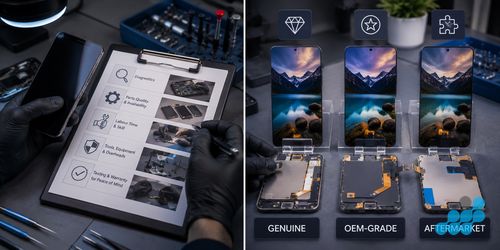
How HP laptop repair by post works
The HP line splits cleanly down the middle — consumer machines such as the Pavilion, ENVY and Spectre on one side, business machines such as the EliteBook and ProBook on the other — and the mail-in route serves both the same way. Here is the sequence end to end.
- 1. Book the repair. Start at /repair/laptop/hp, name your model and describe what it is doing. We tell you there and then whether it is a routine swap or a board-level job.
- 2. Box it properly. Work through the packing notes below — a slab Pavilion and a convertible Spectre do not want the same box.
- 3. Arrange inbound delivery. Choose a current carrier service with tracking and compensation appropriate to the laptop's value, following the order instructions.
- 4. Diagnosis, exact price. The machine goes on the bench, we find the real fault, and we read the precise figure off our live price list — no rounding, no estimate.
- 5. The repair. An OEM-grade part goes in and the laptop is function-tested under load before it leaves us.
- 6. Order-specific return. Return method, cost and cover follow the terms confirmed for the order, with the guarantee filed against the job.
Standard jobs — screen, battery, keyboard, charging port — carry no diagnostic charge at all. The single exception is the £69.95 board-level fee, which only applies when a fault has to be traced at component level, and it comes straight off the bill if you decide to proceed.
HP repair types and starting costs
Nothing below is plucked from the air. Each figure is the lowest Pavilion price our live list holds for that repair, and the number for your specific model is locked in at diagnosis. The per-model breakdowns live in the cost spokes.
| Repair type | Pavilion from | Guarantee | Full price guide |
|---|---|---|---|
| Screen replacement | £94.95 | 27 months | Screen costs |
| Battery replacement | £44.95 | 27 months | Battery costs |
| Keyboard replacement | £54.95 | 27 months | Keyboard costs |
| Charging port / DC jack | £39.95 | 9 months | Charging port costs |
| Board-level / liquid | quoted after free check | 120 days | Confirmed at diagnosis |
How to pack an HP laptop for posting
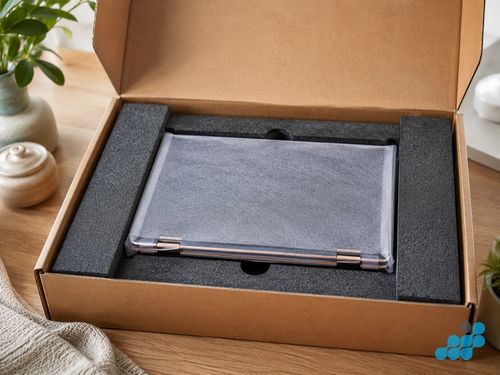
More posted laptops are wrecked by their own retail box than by anything the courier does — that carton was built to ship the machine once, nested inside a bigger pallet box, and it offers almost nothing on its own. What you want instead is a rigid, double-walled outer with the laptop wrapped and packed so tightly it cannot slide a millimetre. From there, the line you own decides the detail.
Pavilion and ENVY (15–17")
The Pavilion is HP's consumer workhorse, and a 15-inch one carries some weight, so rigid corner foam around the hinge is the first thing to get right — that is where a dropped parcel lands. Lay a foam or bubble sheet over the closed lid, pack out every gap so nothing can shift, and keep all pressure off the screen face. The ENVY 17 plays by the same rules on a bigger scale: the larger the panel, the more cushioning it wants behind the lid.
Spectre x360 (slim convertible)
The Spectre x360 is the opposite problem — thin, light and hinged to fold flat, which makes it a pleasure to post and easy to wreck at the pivot. Latch the lid fully so it cannot flip open mid-journey, build extra padding around the hinge and the USB-C edges where the corners take their knocks, and never let anything bear on the slim OLED. A snug foam sleeve inside a rigid box suits it best.
EliteBook and ProBook (business)
These are HP's business machines, the toughest chassis in the range, so a standard double box with foam lining usually does the job — but treat it with the same care regardless, because on an EliteBook the costly part is rarely the hardware, it is the work sitting on the drive. Pull any dongles, USB sticks or SIM trays before you seal the box.
The universal rules apply to any device — our packing guide covers them, and the laptop repair by post guide walks through the wider workflow.
A note on swollen batteries
Pavilions and older consumer HPs are the machines we most often see with a puffed-up cell. If the base is bowing or the trackpad has started to lift, the lithium pack has swollen — a genuine fire and puncture hazard, and it changes the rules for posting. Do not force the lid shut, do not try to lever the cell out yourself, and speak to celltech before you post it so we can talk you through safe packaging for that exact model. An inflated pack can be pierced by the ordinary jolts of transit, which is why we handle these case by case rather than with a blanket instruction. Once it reaches the bench, lifting out a swollen cell safely is routine for us — the battery replacement page has the detail.
Your data during an HP laptop repair
It is the first thing nearly every mail-in customer asks, and the answer is an easy one. A screen, battery, keyboard or charging-port repair never goes near your storage — the work lives on the display, the cell, the key deck or the port, and none of those connect to your drive. Your files, your logins, your settings: all untouched. We read nothing and copy nothing, because the job simply does not call for it.
Selected board-level faults may be repairable without replacing the complete board, but no repair route can guarantee data preservation. Back up first where possible and confirm any storage or reset implications for the diagnosed fault. The back-up guide and the data-during-repair guide go further.
HP repairs we handle by post
- Screen replacement across Pavilion, ENVY, Spectre and EliteBook — IPS and OLED, touch and non-touch alike.
- Battery replacement — glued-in packs and swollen cells included.
- Keyboard replacement — single key or full palmrest, scoped and quoted up front.
- Charging port & DC jack — USB-C micro-soldering on newer machines and barrel jacks on older ones.
- Logic-board / liquid damage — component-level micro-soldering that may retain the original storage, though no repair is risk-free for data.
How long does an HP mail-in repair take?
We pin the timeline at booking, once the model and fault are known, and we check in at diagnosis, at completion and at dispatch. What we will not do is post a fixed number of days, because the honest answer turns on parts supply for your particular HP and on whether it is a straight swap or board-level work — and a deadline we cannot keep is worse than none. What is fixed is the price, agreed before a screwdriver is lifted, and the return under the order terms.
HP laptop repair costs
Every per-model table — Pavilion, ENVY, Spectre, EliteBook and ProBook — sits on the HP laptop repair cost hub. If you are still working out what is actually wrong before you post, the common HP faults guide is the place to start.
Frequently asked questions
Can I send an HP Pavilion laptop by post for repair?
Yes. Book at /repair/laptop/hp, box the Pavilion in a rigid double-walled carton with corner foam around the hinge, and choose an inbound service suitable for its value. Diagnostic and return-delivery terms are confirmed for the order.
How should I pack an HP laptop for posting?
Use a rigid, double-walled box rather than the retail one, cover the closed lid with foam, pack out every void, and reinforce the hinge and corners — more again for a slim Spectre x360. The packing section above has the model-by-model detail.
Is it safe to post a laptop for repair?
It is, provided it travels in a rigid box and you follow the inbound carriage and cover instructions confirmed for the completed order. Check that the selected carrier accepts the packed laptop; careful packing protects the machine throughout the journey.
Is it safe to post an HP laptop with a swollen battery?
Treat a swollen cell as a fire and puncture risk. Do not force the lid closed or try to extract the pack — get in touch with celltech first and we will advise on safe packaging for your model before anything is posted.
What happens to my data when I send my HP laptop for repair?
Screen, battery, keyboard and charging-port repairs do not normally require storage access. Board-level work can carry additional data risk, and no repair can guarantee preservation, so back up beforehand where possible.
Do you cover return postage for HP laptop repairs?
Return method, cost and cover are stated for each order before work proceeds; there is no universal inclusion.
Can celltech repair HP business laptops under warranty terms?
We assess EliteBook and ProBook machines by post, including selected board-level work. Back up data before service where possible because no repair can guarantee preservation. If the machine has active manufacturer cover, compare that route with the confirmed celltech quote and terms.